How to Create Effective YouTube Thumbnails
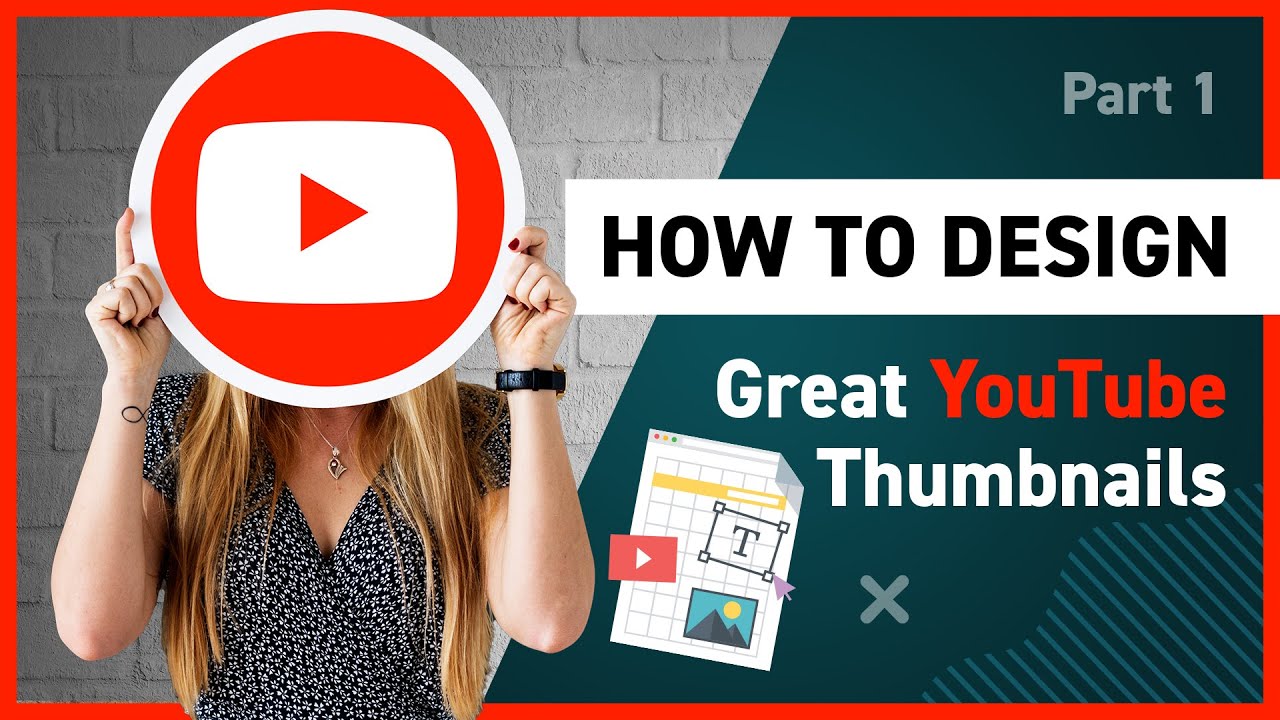
Crafting Click-Worthy You Tube Thumbnails: Your Guide to More Views
Hey there, fellow You Tubers! Ever feel like you're screaming into the void with amazing content that nobody's watching? You've poured your heart and soul into your videos, the editing is slick, the audio is crisp, and your personality shines… but the views are… well, let's just say your grandma is a bigger fan. The harsh reality? In the wild world of You Tube, even the best content can drown without a compelling thumbnail. Think of it as your video's first impression – that split-second chance to grab someone's attention in a sea of endless videos.
We've all been there, endlessly scrolling, bombarded with thumbnails vying for our precious attention. Some are stunning masterpieces, promising untold riches and secrets to success (spoiler alert: they rarely deliver). Others are… well, let's just say they look like a toddler attacked Photoshop. The difference between a viral sensation and a digital ghost town often boils down to that tiny little image.
But here's the good news: you don't need to be a graphic design guru or hire a professional to create thumbnails that get clicks. With a few simple strategies and a dash of creativity, you can transform your thumbnails from drab to fab and start attracting the audience you deserve. Consider this your ultimate guide to creating You Tube thumbnails that not only look good but actually work. We're going to dive deep into the psychology of click-worthy design, explore the latest trends, and arm you with the tools you need to stand out from the crowd. Ready to unlock the secret to You Tube success? Let's get started!
How to Create Effective You Tube Thumbnails
Alright, let's get down to brass tacks. Creating effective You Tube thumbnails isn't rocket science, but it does require a strategic approach. Think of your thumbnail as a mini-advertisement for your video, a visual hook that screams "click me!" Here’s how to craft those irresistible click magnets:
Understanding the Core Principles
Before we dive into the nitty-gritty details, let's establish some fundamental principles that underpin all successful You Tube thumbnails:
• High Resolution is Non-Negotiable: Fuzzy, pixelated thumbnails are a massive turn-off. Think about it: would you click on a blurry photo in a magazine? Aim for a minimum resolution of 1280x720 pixels (the recommended You Tube standard). This ensures your thumbnail looks crisp and clear, even on larger screens. Remember, we live in a high-definition world; blurry is simply unacceptable.
• Clarity is Key: Your thumbnail should be instantly understandable, even at a small size. Avoid clutter and distracting elements that can confuse the viewer. The main subject should be clear and easily recognizable. Think "at-a-glance" appeal – viewers should be able to grasp the essence of your video in a fraction of a second.
• Honesty and Accuracy: This one's crucial for building trust with your audience. Your thumbnail should accurately reflect the content of your video. Avoid clickbait tactics that promise something the video doesn't deliver. Misleading thumbnails might get you a temporary spike in views, but they'll ultimately damage your reputation and lead to subscriber loss. Think long-term – building a loyal audience is far more valuable than a fleeting moment of viral fame.
• Branding Consistency: Developing a consistent visual style for your thumbnails can help viewers instantly recognize your content. This could involve using a specific color palette, font, or logo. Think of it as your visual signature – a way to stand out from the crowd and build brand recognition. Consistency builds trust and reinforces your identity.
The Anatomy of a Click-Worthy Thumbnail
Now that we've covered the core principles, let's break down the key elements that make a thumbnail truly effective:
• Faces That Engage: Human faces are naturally captivating. Including a close-up of your face (or the face of someone featured in your video) can dramatically increase click-through rates. Expressive faces, conveying emotions like excitement, surprise, or curiosity, are particularly effective. People connect with people, so leverage the power of the human face. Just be mindful of the expression – avoid anything that looks unnatural or forced.
• Compelling Text Overlays: Adding text to your thumbnail can help clarify the video's topic and entice viewers to click. Keep the text short, punchy, and easy to read. Use a clear, legible font that contrasts well with the background. Avoid overcrowding the thumbnail with too much text – less is often more. Think of the text as a headline that grabs attention and promises value.
• Eye-Catching Colors: Color plays a crucial role in attracting attention. Bright, vibrant colors tend to stand out more than muted or neutral tones. Experiment with different color combinations to see what works best for your niche. Consider using colors that evoke specific emotions – red for excitement, blue for trust, yellow for happiness. But be mindful of color psychology – what works in one culture might not work in another.
• Visual Hierarchy: The elements in your thumbnail should be arranged in a way that guides the viewer's eye. The most important elements should be the largest and most prominent. Use visual cues like arrows or lines to direct attention to specific areas. Think of your thumbnail as a mini-composition – a carefully crafted arrangement of visual elements.
• Negative Space: Don't be afraid to leave some empty space in your thumbnail. Negative space can help to highlight the key elements and prevent the thumbnail from looking cluttered. It can also create a sense of balance and harmony. Think of it as giving your eyes a place to rest – a visual breather.
Step-by-Step Guide to Creating Stunning Thumbnails
Alright, friends, let's roll up our sleeves and get practical. Here's a step-by-step guide to creating You Tube thumbnails that will stop scrollers in their tracks:
• Brainstorming and Planning: Before you even open Photoshop (or your preferred design tool), take some time to brainstorm and plan your thumbnail. What is the main message of your video? What are the key visuals? What emotions do you want to evoke? Sketch out a few different thumbnail concepts before settling on one. Think of it as laying the foundation for a successful design. Don't be afraid to experiment and try different ideas.
• Capturing High-Quality Screenshots or Photos: The quality of your source material is crucial. If you're using a screenshot from your video, make sure it's sharp and well-lit. Alternatively, take a custom photo specifically for your thumbnail. Experiment with different angles, poses, and expressions. Think of it as creating the raw ingredients for your visual masterpiece.
• Choosing the Right Design Tool: There are countless design tools available, ranging from free online editors to professional software like Photoshop. Choose a tool that you're comfortable using and that meets your needs. Canva is a popular option for beginners, while Photoshop offers more advanced features for experienced designers. Think of it as selecting the right paintbrush for your artistic vision.
• Adding Text and Graphics: Now it's time to add text and graphics to your thumbnail. Choose a font that is clear, legible, and visually appealing. Use colors that complement the background and draw attention to the text. Add graphics like icons, shapes, or illustrations to enhance the visual appeal. Think of it as adding the finishing touches to your visual masterpiece.
• Experimenting with Different Layouts and Designs: Don't be afraid to experiment with different layouts and designs. Try different color combinations, font styles, and graphic elements. Get feedback from friends or colleagues to see what resonates best. Think of it as iterating and refining your design until it's perfect.
• Optimizing for Mobile: Remember that the majority of You Tube viewers watch videos on mobile devices. Make sure your thumbnail looks good on small screens. Use a large, legible font and avoid overcrowding the thumbnail with too many details. Think of it as designing for the smallest screen possible.
• Testing and Analyzing: Once you've created a few thumbnails, test them out to see which ones perform best. Use You Tube Analytics to track your click-through rates and identify patterns. Analyze what's working and what's not, and adjust your strategy accordingly. Think of it as continuously improving your design based on data and feedback.
Advanced Techniques for Thumbnail Mastery
Want to take your thumbnail game to the next level? Here are a few advanced techniques to help you stand out from the crowd:
• Using A/B Testing: A/B testing involves creating two different versions of your thumbnail and testing them against each other to see which one performs better. This is a great way to optimize your thumbnails and maximize your click-through rates. Think of it as a scientific experiment to determine the most effective design.
• Staying Up-to-Date with Trends: You Tube trends are constantly evolving. Stay up-to-date with the latest design trends and adapt your thumbnails accordingly. This could involve using new fonts, colors, or graphic elements. Think of it as staying ahead of the curve and keeping your thumbnails fresh and relevant.
• Analyzing Competitor Thumbnails: Pay attention to what your competitors are doing. Analyze their thumbnails to see what's working well and what's not. This can give you valuable insights into what resonates with your target audience. Think of it as learning from the best and adapting their strategies to your own thumbnails.
• Creating Custom Templates: Once you've developed a consistent visual style for your thumbnails, create custom templates to streamline the design process. This will save you time and ensure that your thumbnails are consistently branded. Think of it as creating a shortcut to visual success.
• Utilizing Professional Design Tools: If you're serious about creating high-quality thumbnails, consider investing in professional design tools like Photoshop or Adobe Illustrator. These tools offer more advanced features and give you greater control over your designs. Think of it as upgrading your artistic arsenal.
Avoiding Common Thumbnail Mistakes
Just as important as knowing what to do is knowing whatnotto do. Here are some common thumbnail mistakes to avoid:
• Cluttered Designs: As mentioned earlier, clutter is a killer. Too many elements crammed into a small space create confusion and overwhelm viewers. Keep it simple, clean, and focused.
• Low-Quality Images: Nothing screams "unprofessional" like a blurry, pixelated image. Ensure all visuals are high-resolution and crisp.
• Misleading Clickbait: While tempting, clickbait thumbnails that don't accurately represent the content of your video will ultimately backfire. You'll lose viewers' trust and potentially damage your reputation.
• Inconsistent Branding: Inconsistency can confuse viewers and make it harder for them to recognize your content. Stick to a consistent visual style across all your thumbnails.
• Ignoring Mobile Optimization: Don't forget that most people watch You Tube on their phones! Design with mobile in mind to ensure your thumbnails look good on smaller screens.
Real-World Examples of Effective Thumbnails
Let's take a look at some real-world examples of effective You Tube thumbnails. Analyze what makes them work and how you can apply those principles to your own designs.
• Mr Beast: Mr Beast is a master of creating attention-grabbing thumbnails. He often uses close-ups of his face, bright colors, and bold text to entice viewers to click. His thumbnails are consistently engaging and visually appealing.
• Pew Die Pie: Pew Die Pie's thumbnails are known for their humor and irreverence. He often uses memes, funny faces, and creative graphics to stand out from the crowd. His thumbnails reflect his unique personality and appeal to his target audience.
• Marques Brownlee (MKBHD): MKBHD's thumbnails are clean, professional, and informative. He often uses high-quality product shots and minimalist designs to convey the essence of his videos. His thumbnails reflect his expertise and attention to detail.
The Future of You Tube Thumbnails
The world of You Tube is constantly evolving, and thumbnails are no exception. Here are a few trends to watch out for in the future:
• AI-Powered Thumbnail Generation: AI is increasingly being used to generate thumbnails automatically. These tools can analyze video content and create thumbnails that are optimized for click-through rates.
• Personalized Thumbnails: You Tube may eventually allow creators to personalize thumbnails based on individual viewer preferences. This could lead to even higher click-through rates and more engaged audiences.
• Interactive Thumbnails: Imagine thumbnails that incorporate interactive elements like polls or quizzes. This could create a more engaging and immersive viewing experience.
Questions and Answers About You Tube Thumbnails
Here are some common questions about creating effective You Tube thumbnails:
• What is the ideal size for a You Tube thumbnail?
The ideal size for a You Tube thumbnail is 1280x720 pixels with a width of 640 pixels.
• What software should I use to create thumbnails?
There are many software options for creating thumbnails, including Canva, Adobe Photoshop, and GIMP. Choose the one that best suits your skill level and budget.
• How much text should I include in my thumbnail?
Keep the text short, punchy, and easy to read. Avoid overcrowding the thumbnail with too much text.
• How important are thumbnails for You Tube success?
Thumbnails are extremely important for You Tube success. They are often the first thing viewers see and can significantly impact click-through rates.
So, there you have it, friends – your comprehensive guide to creating killer You Tube thumbnails. We've covered the core principles, dissected the anatomy of a click-worthy design, walked through a step-by-step creation process, explored advanced techniques, and even peeked into the future of thumbnails. You are now armed with the knowledge and tools to transform your thumbnails from bland to brilliant.
Now, it's time to put this knowledge into action! Experiment with different designs, test your thumbnails, and continuously refine your strategy. Remember, creating effective thumbnails is an ongoing process, not a one-time event. The more you practice, the better you'll become. Start crafting those eye-catching masterpieces and watch your views soar! And remember, don't be afraid to get creative and let your personality shine through. After all, authenticity is key to building a loyal audience.
Ready to level up your You Tube game and finally get the views you deserve? Go create a thumbnail that screams "Watch Me!" What amazing videos will your captivating thumbnails lead viewers to discover today?

Post a Comment for "How to Create Effective YouTube Thumbnails"
Post a Comment