How to Create Effective YouTube Thumbnails
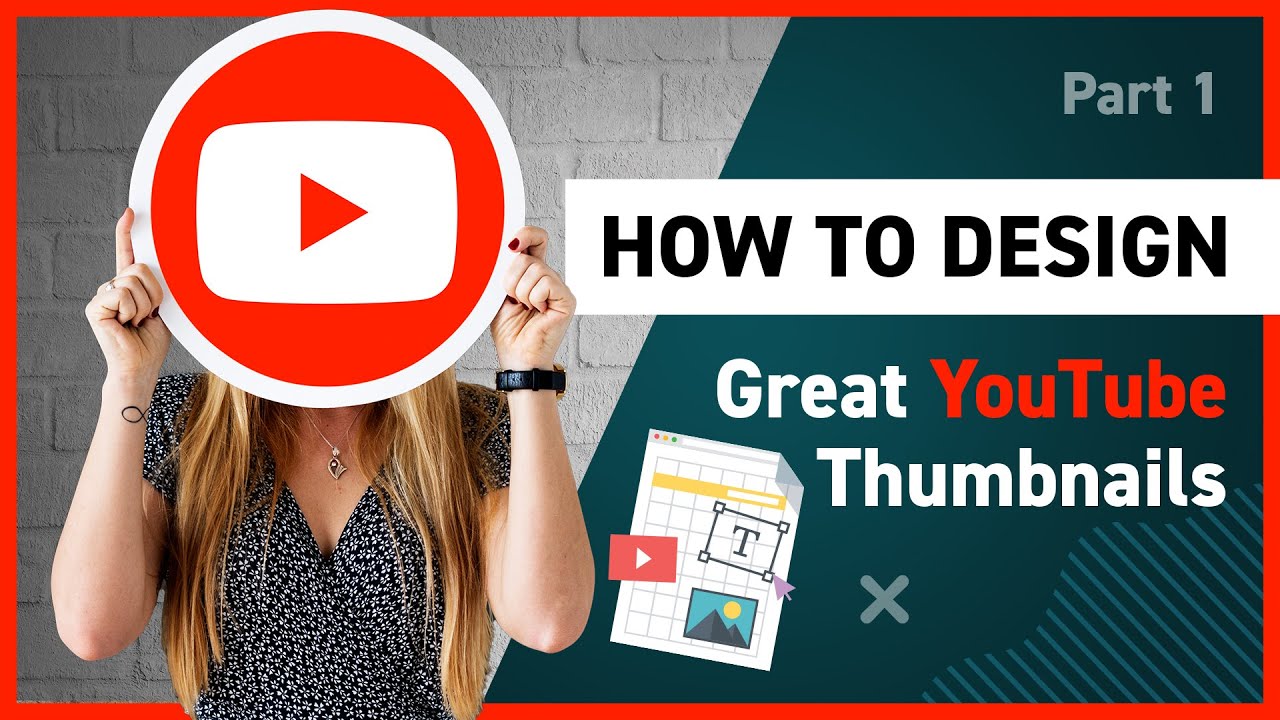
Hey there, future You Tube superstars!
Crafting Click-Worthy You Tube Thumbnails: A Complete Guide
Let's be honest, we've all been there. Scrolling through You Tube, desperately searching for something to watch, and what stops us dead in our tracks? That’s right, the thumbnail. Those tiny little images are the gatekeepers to our viewing pleasure (or time-wasting, depending on your perspective!). Think of it like this: your video is an amazing cake, but the thumbnail is the frosting. No one wants a naked cake, right?
You might be thinking, "Thumbnails? Really? Is that all it takes?" Well, no. A great video is still crucial. But in today's ultra-competitive You Tube landscape, a killer thumbnail is no longer optional; it's essential. Imagine walking into a bookstore filled with thousands of books. Which one are you going to pick up first? The one with the dull, generic cover, or the one with the vibrant, eye-catching design?
It’s the same deal on You Tube. A mediocre video with an amazing thumbnail can still get clicks. But an amazing video with a terrible thumbnail? It’s like hiding a diamond in a pile of dirt. No one will ever know it's there!
Consider this scenario: you've spent hours crafting the perfect video – meticulously editing, adding killer music, and delivering content that would make even the most cynical viewer crack a smile. You upload it to You Tube, brimming with anticipation. You check back a few hours later...crickets. Zero views. What went wrong? The algorithm? Maybe. Your content? Possibly. But more often than not, the culprit is your thumbnail.
So, what's the secret sauce? How do you create thumbnails that not only grab attention but also accurately represent your video and entice viewers to click? That’s what we’re diving into today. We're going to explore the art and science of crafting click-worthy You Tube thumbnails that will help you stand out from the crowd, boost your views, and ultimately, grow your channel. Get ready to ditch those generic auto-generated thumbnails and unleash your inner thumbnail artist!
Ready to unlock the secrets to creating thumbnails that are so good, they're practically irresistible? Let's get started!
Understanding the Power of a Perfect Thumbnail
Okay, friends, let's break down why thumbnails are so darn important. It's not just about making your video look pretty (although that helps!). It's about grabbing attention, conveying value, and ultimately, getting those precious clicks. Think of your thumbnail as a tiny billboard for your video. It has to be impactful, informative, and intriguing – all in a fraction of a second.
• First Impressions Matter: Studies have shown that viewers form an opinion about a video within the first few seconds of seeing the thumbnail. That's not a lot of time to make an impression! Your thumbnail is your first and often only chance to grab their attention and convince them that your video is worth watching.
• Standing Out From the Crowd: You Tube is a crowded place. Millions of videos are uploaded every single day. Your thumbnail needs to be visually appealing enough to stand out from the sea of other videos vying for attention. Bright colors, engaging faces, and clear text are all crucial elements.
• Conveying Your Video's Message: Your thumbnail should give viewers a clear idea of what your video is about. It's a visual summary that helps them decide if your video is relevant to their interests. A misleading or confusing thumbnail can lead to frustrated viewers and a lower click-through rate.
• Building Your Brand: Consistent use of colors, fonts, and imagery in your thumbnails can help viewers recognize your channel and build brand awareness. Think of it as your visual signature – a way to let people know that a video is from you, even before they see your channel name.
• Driving Click-Through Rate (CTR): This is the ultimate goal! Your thumbnail's primary purpose is to increase your CTR – the percentage of viewers who see your thumbnail and actually click on your video. A higher CTR signals to You Tube that your video is engaging and relevant, which can lead to better search rankings and more views.
Key Elements of a High-Converting Thumbnail
Alright, so you know why thumbnails are important. Now, let's dive into the nitty-gritty of what makes a thumbnail truly effective. It's not just about throwing a random image together and hoping for the best. There are specific elements that you need to consider to create thumbnails that are designed to convert.
• High-Quality Visuals: This should be a no-brainer, but it's worth repeating. Use high-resolution images and avoid blurry or pixelated graphics. Your thumbnail should be crisp, clear, and visually appealing. Blurry images are a sure-fire way to turn viewers away.
• Compelling Faces: Human faces are incredibly powerful. Studies have shown that thumbnails featuring expressive faces tend to perform better. Showcasing emotion can help viewers connect with your video on a personal level. Think about using faces that convey surprise, excitement, or curiosity.
• Bright and Contrasting Colors: Use a color palette that is visually striking and stands out from the You Tube background. Avoid using muted or dull colors that will blend in with the other thumbnails. Contrasting colors can help draw the eye and make your thumbnail pop. Think about using a bright background color with contrasting text.
• Clear and Concise Add text to your thumbnail to quickly convey the topic of your video. Keep the text short, easy to read, and relevant to your content. Use a bold font that is legible even at small sizes. Avoid using too much text, as it can make your thumbnail look cluttered and overwhelming.
• Strong Composition: Pay attention to the layout and arrangement of elements in your thumbnail. Use the rule of thirds to create a visually balanced composition. Avoid placing important elements in the corners or edges of the thumbnail. Lead the viewer's eye to the focal point of your thumbnail.
• Consistency With Branding: Use consistent colors, fonts, and imagery in your thumbnails to build brand recognition. This will help viewers easily identify your videos and associate them with your channel. Create a thumbnail template that you can use for all of your videos to maintain a consistent look and feel.
• Evoke Emotion: A powerful thumbnail should evoke some kind of emotion from the viewer, whether it's curiosity, excitement, or even a bit of intrigue. By tapping into viewers' emotions, you can create a stronger connection and increase the likelihood of them clicking on your video.
Step-by-Step Guide to Creating Killer You Tube Thumbnails
Okay, friends, time to get practical. Let's walk through the step-by-step process of creating You Tube thumbnails that will make your videos stand out from the crowd.
• Brainstorm Ideas: Before you even open your design software, take some time to brainstorm ideas for your thumbnail. Think about the main topic of your video and how you can visually represent it in a compelling way. Consider using keywords in your thumbnail that are relevant to your video's content.
• Choose Your Image: Select a high-quality image that is relevant to your video's content. You can use a screenshot from your video, a stock photo, or even a custom graphic. Make sure the image is clear, crisp, and visually appealing. If you're using a screenshot, choose a frame that is particularly engaging or captures a key moment in your video.
• Add Use text to quickly convey the topic of your video and entice viewers to click. Keep the text short, easy to read, and relevant to your content. Use a bold font that is legible even at small sizes. Experiment with different font styles, colors, and sizes to find what works best for your thumbnail.
• Apply Effects: Use visual effects to enhance your thumbnail and make it more visually appealing. You can add a border, shadow, or glow to make your text stand out. You can also use color filters to create a specific mood or tone. Be careful not to overdo it with the effects, as too many effects can make your thumbnail look cluttered and overwhelming.
• Maintain Aspect Ratio: You Tube thumbnail size is 1280 x 720 pixels with a 16:9 aspect ratio. Make sure you stick to this size so your image does not appear distorted.
• Optimize for Mobile: Remember that most You Tube viewers are watching on mobile devices. Make sure your thumbnail looks good on smaller screens. Use large, legible text and avoid using too many small details. Zoom out to see how your thumbnail looks on a small screen and make adjustments as needed.
• Save Your Thumbnail: Save your thumbnail as a high-quality JPG or PNG file. Use a descriptive file name that includes keywords related to your video's content. This can help with search engine optimization and make it easier to find your thumbnail later.
• Test and Iterate: Don't be afraid to experiment with different thumbnail designs. Try creating multiple thumbnails for the same video and see which one performs best. Use You Tube Analytics to track the click-through rate of your thumbnails and make adjustments as needed. Continuously test and iterate to improve your thumbnail designs.
Tools and Resources for Creating Stunning Thumbnails
Okay, friends, you don't have to be a professional graphic designer to create amazing You Tube thumbnails. There are plenty of user-friendly tools and resources available to help you unleash your inner thumbnail artist.
• Canva: Canva is a popular online design tool that offers a wide range of templates, graphics, and fonts. It's incredibly easy to use, even if you have no prior design experience. Canva also has a specific template for You Tube thumbnails, which makes it even easier to get started.
• Adobe Photoshop: Photoshop is the industry-standard design software for professionals, but it can also be used to create stunning You Tube thumbnails. It has a steeper learning curve than Canva, but it offers a much wider range of features and customization options.
• Pic Monkey: Pic Monkey is another online design tool that is similar to Canva. It offers a variety of templates, graphics, and fonts, as well as a range of photo editing tools. Pic Monkey is a great option for creating quick and easy You Tube thumbnails.
• GIMP: GIMP is a free and open-source image editing software that is similar to Photoshop. It's a great option if you're on a budget but still want access to powerful design tools. GIMP has a steeper learning curve than Canva, but it's a great option for more advanced users.
• Unsplash and Pexels: These websites offer a vast library of high-quality, royalty-free images that you can use in your You Tube thumbnails. They're a great resource for finding stunning visuals that will make your thumbnails stand out.
• Google Fonts: Google Fonts is a free library of hundreds of fonts that you can use in your You Tube thumbnails. They offer a wide range of font styles, from classic to modern, so you're sure to find something that fits your brand and style.
Testing and Optimizing Your Thumbnails for Maximum Impact
Creating a great thumbnail is just the first step. You also need to test and optimize your thumbnails to ensure they are performing as well as possible. Here's how to do it:
• A/B Testing: This involves creating two different thumbnails for the same video and seeing which one performs better. You Tube allows you to change your thumbnail at any time, so you can easily test different designs and see which one gets more clicks. Focus on testing one element at a time, such as the image, text, or color scheme.
• You Tube Analytics: Use You Tube Analytics to track the click-through rate (CTR) of your thumbnails. This will give you valuable insights into what's working and what's not. Pay attention to the impressions click-through rate, which measures the percentage of people who see your thumbnail and actually click on your video.
• Analyze Competitors: Take a look at the thumbnails that your competitors are using. What are they doing well? What could they be doing better? Use this information to inform your own thumbnail designs. Don't copy their thumbnails exactly, but use them as inspiration to create something unique and effective.
• Ask for Feedback: Get feedback on your thumbnails from friends, family, or other You Tubers. Ask them what they like and dislike about your thumbnails and what could be improved. Fresh perspectives can help you identify areas for improvement that you might not have noticed on your own.
• Keep Up With Trends: Pay attention to the latest trends in thumbnail design. What's working well for other You Tubers? What new styles and techniques are being used? Stay up-to-date with the latest trends to ensure your thumbnails are fresh and relevant.
Common Thumbnail Mistakes to Avoid
Alright, friends, let's talk about some common thumbnail mistakes that you want to avoid at all costs. These are the pitfalls that can sabotage your click-through rate and keep your videos hidden in the depths of You Tube obscurity.
• Using Low-Quality Images: This is a cardinal sin of thumbnail design. Blurry, pixelated, or poorly lit images are a surefire way to turn viewers away. Always use high-resolution images that are clear, crisp, and visually appealing.
• Cluttering Your Thumbnail With Too Much Remember, less is more. Avoid cramming too much text into your thumbnail, as it can make it look cluttered and overwhelming. Focus on using a few key words that quickly convey the topic of your video.
• Using Misleading or Clickbait Thumbnails: While it might be tempting to use a misleading or clickbait thumbnail to get more clicks, this is a short-sighted strategy that will ultimately backfire. Viewers will quickly realize that your video doesn't deliver on the promise of your thumbnail, which will lead to frustration and a lower watch time.
• Ignoring Branding: Consistency is key when it comes to branding. Use consistent colors, fonts, and imagery in your thumbnails to build brand recognition. This will help viewers easily identify your videos and associate them with your channel.
• Neglecting Mobile Optimization: Remember that most You Tube viewers are watching on mobile devices. Make sure your thumbnail looks good on smaller screens. Use large, legible text and avoid using too many small details.
You Tube Thumbnail FAQs
Alright, let's tackle some frequently asked questions about You Tube thumbnails:
• What is the ideal You Tube thumbnail size?
The ideal You Tube thumbnail size is 1280 x 720 pixels with a 16:9 aspect ratio.
• What file format should I use for my You Tube thumbnails?
You should save your thumbnails as high-quality JPG or PNG files.
• How can I change my You Tube thumbnail?
You can change your You Tube thumbnail by going to your You Tube Studio, selecting the video you want to edit, and clicking on the "Thumbnail" section.
• How important are You Tube thumbnails for video success?
You Tube thumbnails are extremely important for video success. They are the first thing viewers see and can significantly impact your click-through rate and overall views.
Alright, friends, we've covered a lot of ground. Let's wrap things up!
In conclusion, crafting effective You Tube thumbnails is essential for attracting viewers and growing your channel. Remember to use high-quality visuals, compelling faces, bright colors, clear text, and strong composition. Test and optimize your thumbnails regularly to maximize their impact. By following the tips and strategies outlined in this guide, you'll be well on your way to creating thumbnails that are so good, they're practically irresistible.
Now it’s time to put all of this into practice and create some killer thumbnails! Experiment with different designs, test your results, and see what works best for your channel. Don't be afraid to get creative and have fun with it. The key is to create thumbnails that are visually appealing, informative, and engaging.
So, go forth and create some click-worthy masterpieces! And remember, a great thumbnail is just the beginning. You still need to create amazing content that keeps viewers engaged and coming back for more. Are you ready to take your You Tube channel to the next level?

Post a Comment for "How to Create Effective YouTube Thumbnails"
Post a Comment