Spotify User Switched to Apple Music with iOS 26 Feature – and Never Looked Back
Key Features of Apple Music's Library Transfer
Apple Music has introduced a new feature that simplifies the process of switching music libraries. This functionality is available to both iOS and Android users who are subscribed to Apple Music. To access this feature, you need an active Apple Music subscription.
My Experience Switching from Spotify to Apple Music
It has been nearly two years since I transitioned from Spotify Premium to an Apple Music subscription. At that time, I was looking for Apple's lossless audio for wired listening, its Dolby Atmos catalog, and I'll admit: I'm a fan of Apple's user interface. Transferring eight years' worth of saved music from Spotify to Apple Music was a challenging and time-consuming task.
Additionally, Apple Music now allows users to view their most played songs from the past decade. Here's where you can find that information.
The Role of SongShift in Transferring Music Libraries
After searching Reddit for the best solution, I discovered SongShift, an app designed specifically for transferring music libraries between streaming services. On the free tier of SongShift, I was limited to playlists with under 200 songs, while full library transfers required a paid subscription.
With the release of iOS 26, Apple partnered with SongShift, integrating its technology into the Apple Music app. This partnership has been in testing for over a year. Now, users can import their entire Spotify, Deezer, Tidal, Amazon Music, or YouTube Music catalogs to Apple Music directly from their iOS device's settings.
Until this feature appeared in my iPhone settings, I was missing about 80% of my previous Spotify library. As long as you have an active Apple Music subscription, this additional service is free. Here's how to do it.
How to Import Your Music Library to Apple Music
What You'll Need:
- An iPhone or iPad updated to the latest version
- An Android device with the latest version of Apple Music
- A laptop that can access Apple Music's web version
- Login credentials for your previous music streaming service
1. Transfer Music to Apple Music on iPhone or iPad
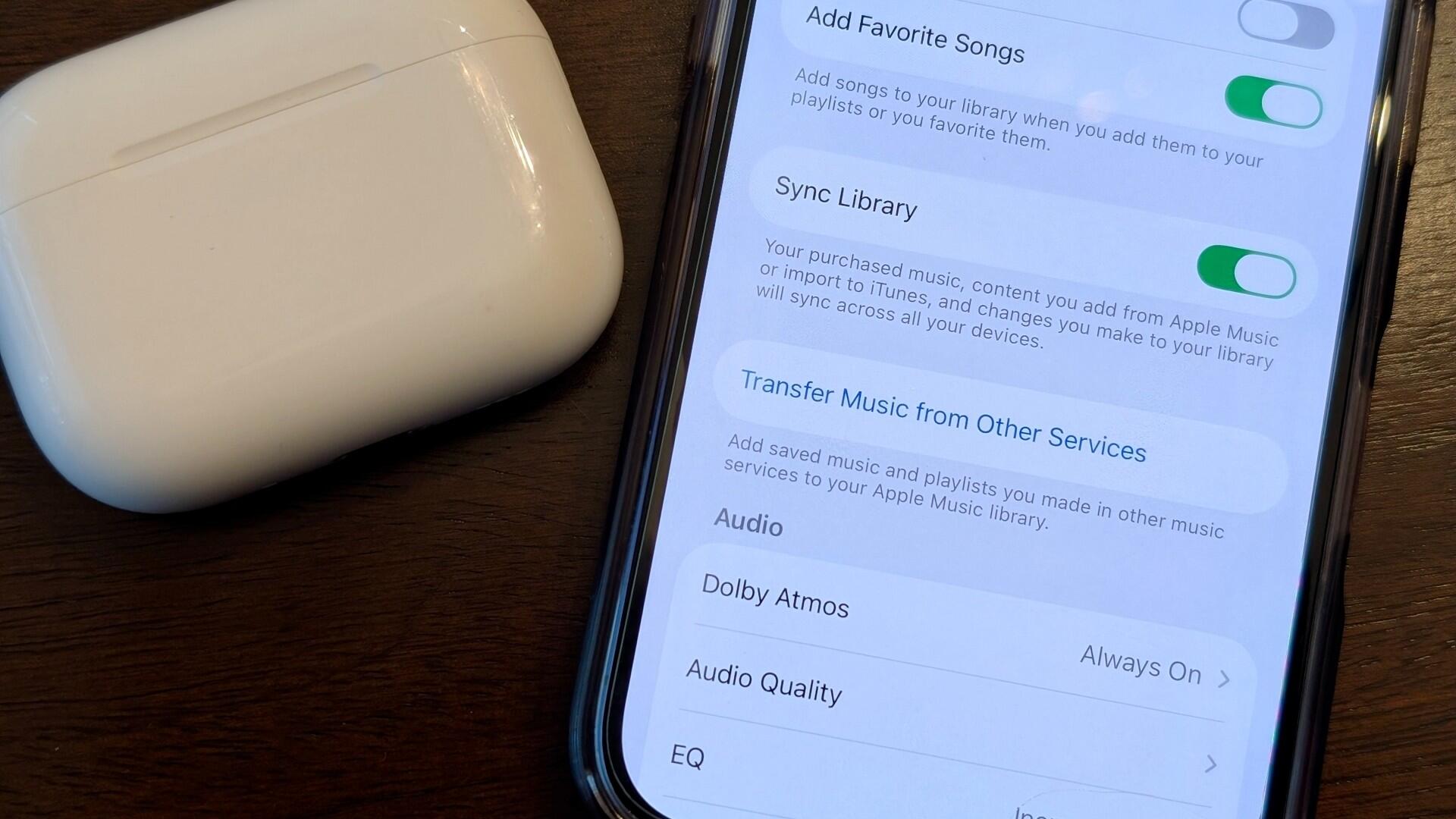
On your iOS device, go to Settings, search for "Music," ensure "Sync Library" is enabled, and then tap "Transfer Music from Other Services." You can choose to transfer your entire music library or select specific playlists. Playlists saved to your library but created by the streaming service, such as your previous years' Spotify Wrapped playlists, will not transfer to Apple Music.
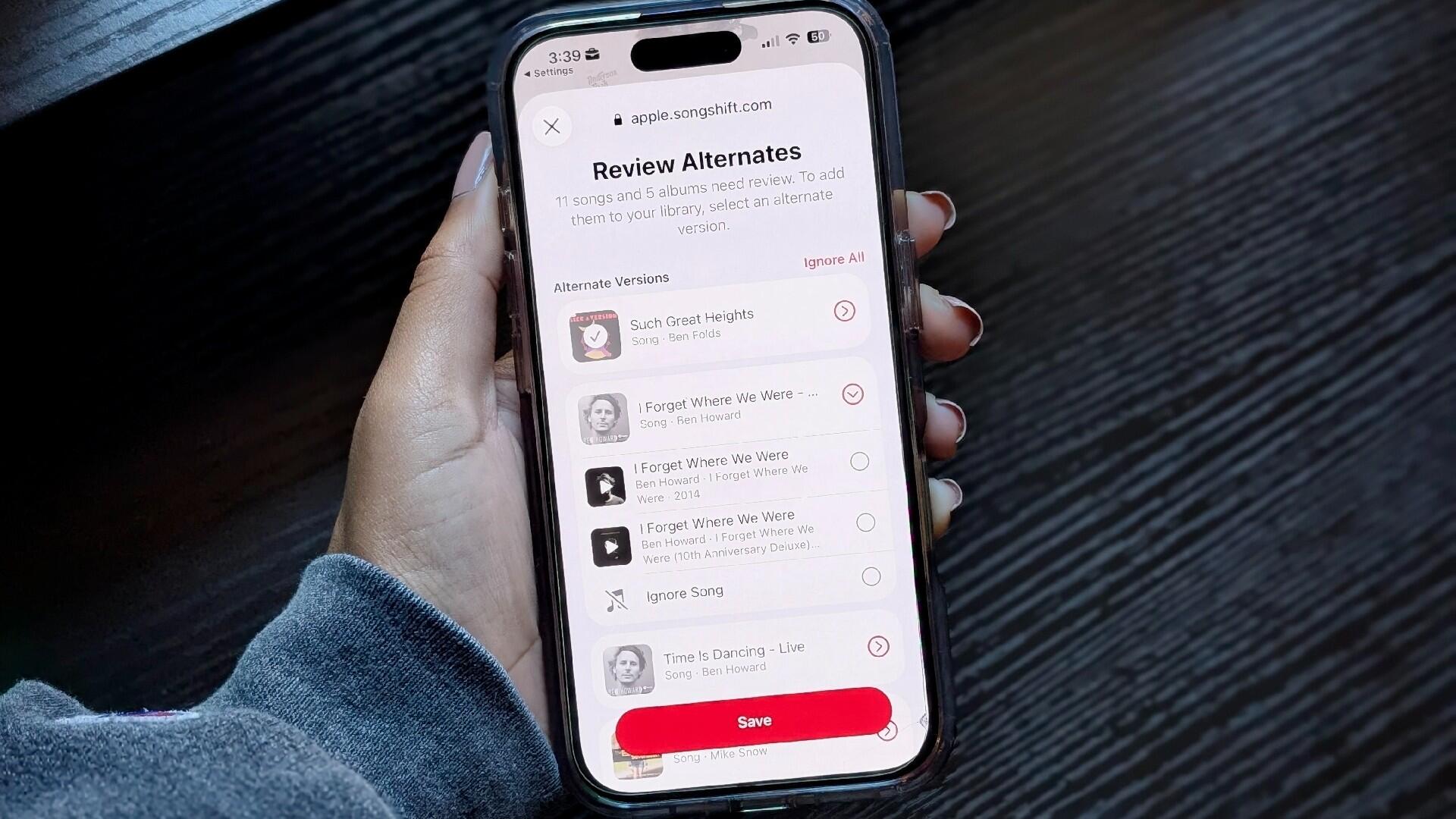
Then, your songs will be transferred to Apple Music, and you'll need to address any songs from the previous streaming service that are not available on Apple Music. Apple Music will present you with alternatives, if applicable.
2. Transfer Music to Apple Music on Android or Web
If you're using an Android device, open the Apple Music app and tap the three vertical "More" buttons to open app settings. There, you'll find the same prompts to "Transfer Music from Other Music Services," and complete the same steps as above.
If you're using Apple Music on a web browser, sign in to your Apple Music account and tap on your profile icon in the top right corner. Choose which songs from which streaming service you'd like to transfer to Apple Music, then complete the same steps as above.
Limitations and Considerations
Unsurprisingly, any Spotify Live Sessions are not available on Apple Music. Other songs I saved, especially from movie soundtracks with original music, were unavailable in their original form and were instead listed under other albums. Additionally, certain EPs and alternative versions of singles and LPs were unavailable, which is common when switching streaming services.
Very few songs, but unfortunately, ones I really love, were forever lost to the void; there wasn't an alternative version available on Apple Music. Yet, such is the reality when using digital streaming services. If you want unfettered access to your all-time favorite music, invest in vinyl, CDs, or cassette tapes. Still, if you're unhappy with your current music streaming service and want to make the jump to Apple Music, this trick makes taking the leap considerably easier.

Post a Comment for "Spotify User Switched to Apple Music with iOS 26 Feature – and Never Looked Back"
Post a Comment