Beginner’s Guide to Creating Instagram Highlights
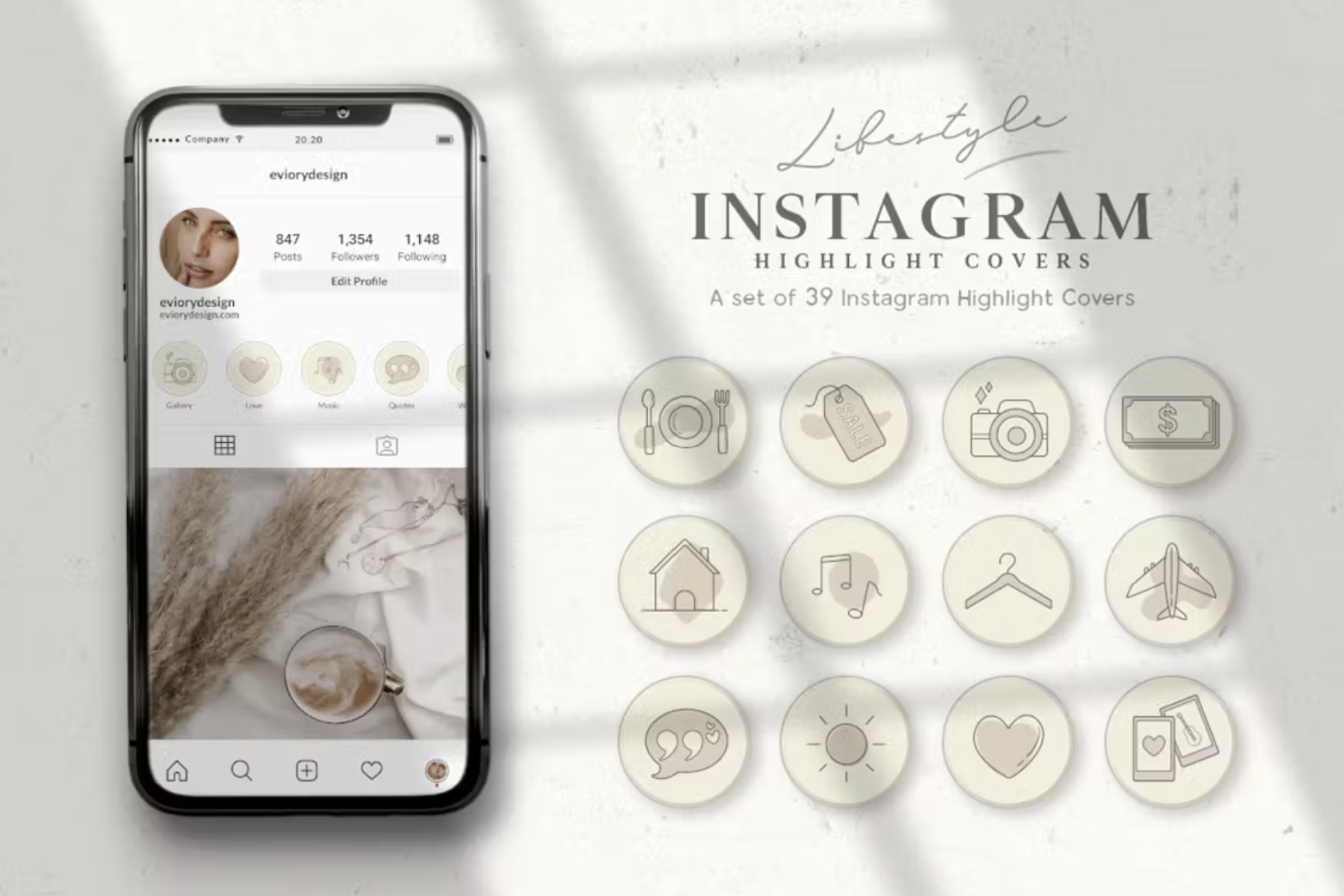
Crafting Captivating Collections: Your Beginner's Guide to Instagram Highlights.
Hello there, fellow Instagram enthusiast!
Ever feel like your brilliant Instagram Stories disappear into the digital abyss after just 24 hours? Like that perfectly curated brunch photo, the hilarious behind-the-scenes moment, or that crucial product announcement vanishes like a Snapchat? We've all been there. It's like throwing content gold into a temporary bin! You spend time creating content, it's live for 24 hours, and then poof! Gone forever. Or so you thought...
Imagine your Instagram profile as a meticulously curated museum. Your posts are the permanent exhibitions, carefully chosen and arranged. But your Stories? They're the limited-time special exhibits, the behind-the-scenes glimpses, the flash sales, the quick tips, thepersonality! Letting those disappear is like tearing down the exhibit after a single day. You're missing out on a HUGE opportunity to showcase your brand, connect with your audience, and drive engagement.
Think about it. Someone new stumbles upon your profile. They might scroll through your feed, sure, but are theyreallygoing to dig deep and get a sense of who you are, what you offer, and why they should follow you? Probably not. But those cute little circles right below your bio? Those are Instagram Highlights, my friend, and they're your secret weapon. They're the curated collections of your best Stories, neatly organized and always available for new (and existing!) followers to explore.
Highlights are like the "Greatest Hits" album for your Instagram Stories. They let you group related content together, making it easy for your audience to find exactly what they're looking for. Think of them as permanent mini-advertisements for different aspects of your brand, your products, your services, or even just your personality. Want to showcase customer testimonials? Highlight them! Running a special promotion? Highlight it! Sharing your favorite travel destinations? You guessed it, highlight them!
And the best part? Creating Instagram Highlights is ridiculously easy. Seriously. It's like learning to tie your shoes – once you get the hang of it, you'll be doing it without even thinking. But for those of you who are new to the game, or just need a little refresher, we've put together this comprehensive beginner's guide. We're going to walk you through everything you need to know to create stunning, effective Instagram Highlights that will boost your engagement and help you grow your audience.
We'll cover everything from the basics of creating and organizing your Highlights to advanced strategies for using them to their full potential. We'll even share some insider tips and tricks to help you make your Highlights stand out from the crowd. Think eye-catching cover photos, strategic naming conventions, and content that converts.
Before we dive in, let's address the elephant in the room. Why bother with Instagram Highlights when you're already busy enough creating content for your feed? Well, here's the truth: in today's fast-paced digital world, attention spans are shorter than ever. People want information quickly and easily. They don't have time to scroll through endless posts or watch countless Stories to find what they're looking for. Highlights provide a convenient and visually appealing way to present your most important content in a digestible format.
Plus, Highlights can significantly improve your profile's aesthetics. A well-organized set of Highlights with consistent cover photos can instantly elevate your brand image and make your profile look more professional and polished. It's like giving your Instagram a mini-makeover! And who doesn't love a good makeover?
So, are you ready to transform your Instagram profile from a fleeting collection of disappearing Stories into a powerful marketing tool? Let's get started!
Let's Get Highlighted: Creating Your First Instagram Highlight

Alright, friends, let's dive into the nitty-gritty. Creating an Instagram Highlight is easier than ordering your favorite latte (and probably just as satisfying!). Here’s a breakdown:
• From Your Active Story:
This is the simplest method. If you've just posted a Story that you want to immortalize, look for the "Highlight" button at the bottom right of the screen while viewing your story. Tap it. You'll be prompted to either add it to an existing Highlight or create a new one. Name your Highlight something catchy and relevant (more on that later!), and voila! Your Story is now living its best life in your Highlights.
• From Your Archive:
Instagram automatically archives your Stories, which is a lifesaver. To access your archive, go to your profile, tap the three horizontal lines in the top right corner, and then select Archive.From there, you can browse your past Stories and select the ones you want to add to a Highlight. Just tap the Story, then tap the "Highlight" button at the bottom. Again, you'll have the option to add it to an existing Highlight or create a new one.
• Creating a New Highlight Directly:
Want to skip the Story-posting process altogether? No problem! On your profile, below your bio, you'll see a "+" button labeled New.Tap it! This will take you directly to your Story Archive, where you can select the Stories you want to include in your new Highlight. Once you've selected your Stories, tap "Next," choose a cover photo, give your Highlight a name, and you're good to go!
Crafting Compelling Covers and Captivating Content
Okay, now that you knowhowto create Highlights, let's talk about making them irresistible. Think of your Highlight covers as mini-billboards for your content. They're the first thing people see, so they need to grab attention and clearly communicate what the Highlight is all about.
• Cover Photo Power:
Ditch the Default! Please! Instagram will automatically select a frame from one of your Stories as the cover photo, but let's be honest, it's rarely the most visually appealing option. Instead, create custom cover photos that are consistent with your brand aesthetic. Use Canva, Adobe Spark, or even just a simple photo editing app to design eye-catching covers with relevant icons or text. The key is consistency. Use the same color palette, font, and style for all your covers to create a cohesive and professional look. Think about your brand! What colors and fonts represent you best? Use those! Consistency is KEY.
• Naming Conventions: Keep it Clear, Concise, and Clever:
Your Highlight names should be short, descriptive, and easy to understand. Think keywords that people are likely to search for. For example, if you're a travel blogger, you might have Highlights labeled "Europe Trip," "Budget Travel Tips," or "Hidden Gems." Avoid overly generic names like "Stuff" or "My Life." Get specific! Also, keep in mind that Instagram only displays the first few words of your Highlight name, so make them count.
• Content is King (and Queen!):
This is where the magic happens. Your Highlight content should be engaging, informative, and relevant to your audience. Think about what they want to see and create Stories that deliver value. Use a mix of video, photos, text, and interactive elements like polls and quizzes to keep things interesting. And remember, consistency is key! Regularly update your Highlights with fresh content to keep them relevant and engaging.
• Storytelling with a Purpose:
Don't just throw a bunch of random Stories into a Highlight and call it a day. Think about how you can use your Highlights to tell a story. For example, if you're launching a new product, you could create a Highlight that walks your audience through the entire process, from development to launch. Or, if you're a service-based business, you could create a Highlight that showcases your expertise and provides valuable tips and advice.
Strategic Organization: Getting the Most Out of Your Highlights
So, you've got your Highlights created, your covers are looking sharp, and your content is on point. Now what? It's time to organize your Highlights strategically to maximize their impact.
• Prioritize Placement:
The order in which your Highlights appear on your profile is important. Put your most important Highlights first, the ones that you want people to see right away. These might be Highlights that showcase your products, services, or key brand messages. Think about your target audience. What are they most interested in? Place those highlights first.
• Categorize Like a Pro:
Group your Highlights into logical categories that make sense for your audience. Think about the different aspects of your brand or business and create Highlights for each one. For example, if you're a restaurant, you might have Highlights for "Menu," "Specials," "Events," and "About Us."
• Update Regularly:
Don't let your Highlights get stale! Regularly update them with fresh content to keep them relevant and engaging. This shows your audience that you're active and that you care about providing them with valuable information.
• Analyze and Optimize:
Pay attention to which Highlights are performing well and which ones aren't. Use Instagram Insights to track views and engagement and adjust your strategy accordingly. Are certain covers getting more clicks? Are certain types of content resonating more with your audience? Use this data to refine your Highlights and make them even more effective. It is critical to constantly analyze and optimize content to ensure you are putting out the best stuff.
Beyond the Basics: Advanced Highlight Hacks
Feeling like a Highlight pro? Great! Let's take things to the next level with some advanced hacks that will set your Highlights apart from the crowd.
• Interactive Elements: Polls, Quizzes, and Questions:
Use the interactive features of Instagram Stories to engage your audience and gather valuable feedback. Create polls to ask your audience about their preferences, quizzes to test their knowledge, or questions to solicit their opinions. Then, save these interactive Stories to your Highlights to keep the conversation going.
• Behind-the-Scenes Content: Give Them a Peek:
People love to see what goes on behind the scenes. Share glimpses of your workspace, your team, or your creative process to give your audience a more personal and authentic look at your brand.
• User-Generated Content: Showcase Your Fans:
Feature content created by your followers in your Highlights. This is a great way to build community, show appreciation for your fans, and generate social proof. Just be sure to ask for permission before sharing someone else's content.
• Link Stickers: Drive Traffic to Your Website:
If you have over 10,000 followers (or are a verified account), you can use link stickers in your Stories to drive traffic to your website or other online destinations. Save these Stories to your Highlights to make it easy for your audience to access important links. For product pages and website, link stickers are a great way to drive traffic and conversion.
Highlight Don'ts: Avoiding Common Pitfalls
Alright, before you go wild creating Highlights, let's cover some common mistakes to avoid.
• Don't Overdo It:
Too many Highlights can be overwhelming and make your profile look cluttered. Stick to a manageable number of Highlights that are focused on your most important content. Think quality over quantity.
• Don't Neglect Your Covers:
As we mentioned earlier, your Highlight covers are crucial. Don't use generic or inconsistent covers that detract from your brand image. Invest the time to create custom covers that are visually appealing and on-brand.
• Don't Forget to Update:
Letting your Highlights get stale is a surefire way to lose your audience's attention. Regularly update your Highlights with fresh content to keep them relevant and engaging.
• Don't Ignore Your Insights:
Instagram Insights provide valuable data about how your Highlights are performing. Don't ignore this data! Use it to track your progress and optimize your strategy.
Frequently Asked Questions
• How many Highlights should I have?
There's no magic number, but aim for quality over quantity. Focus on creating a few well-curated Highlights that showcase your most important content, rather than a ton of generic ones. Ideally, have between 5 and 10 Highlights, depending on your brand and content strategy.
• How often should I update my Highlights?
It depends on your content strategy, but aim to update your Highlights at least once a week. This shows your audience that you're active and that you care about providing them with fresh content. For time-sensitive content, update it more frequently.
• Can I reorder my Highlights?
Yes! Simply tap and hold the Highlight you want to move, and then drag it to its new position. The order of your Highlights can influence how users perceive your brand, so be strategic about it.
• Can I see who viewed my Highlights?
Yes, but only for the first 48 hours after the Story was originally posted. After that, you can only see the total number of views, not the individual usernames.
Wrapping Up and Highlighting Your Success
And there you have it, friends! Your comprehensive guide to mastering Instagram Highlights. We've covered everything from the basics of creating and organizing your Highlights to advanced strategies for using them to boost your engagement and grow your audience. By now, you should have a solid understanding of how to create visually appealing, informative, and engaging Highlights that will help you showcase your brand, connect with your audience, and drive results.
Remember, Instagram Highlights are more than just a place to store your old Stories. They're a powerful marketing tool that can help you tell your brand story, build relationships with your audience, and achieve your business goals. By following the tips and tricks we've shared in this guide, you'll be well on your way to creating a set of Highlights that will make your profile stand out from the crowd.
So, what's next? It's time to put what you've learned into practice! Take some time to review your current Instagram Highlights (or create some if you haven't already) and identify areas where you can improve. Experiment with different cover photos, naming conventions, and content formats to see what resonates best with your audience. And don't be afraid to get creative and try new things!
But don't just stop there. Share your Highlights with your audience and ask for feedback. What do they think? What would they like to see more of? Use their feedback to refine your Highlights and make them even more effective. After all, your audience is the reason you're creating Highlights in the first place!
And finally, remember to stay consistent. Regularly update your Highlights with fresh content to keep them relevant and engaging. This shows your audience that you're active and that you care about providing them with valuable information. The more you invest in your Highlights, the more they'll pay off in the long run.
Now go forth and create some captivating collections! The world awaits your highlighted brilliance. We challenge you to create or revamp at least one Instagram Highlight this week. What will it be? A product showcase? A customer testimonial reel? A behind-the-scenes glimpse into your brand? The possibilities are endless! And most importantly, have fun with it! Instagram should be fun and if you aren't having fun creating your highlights, then the audience won't have fun viewing it.
So, what are you waiting for? Get highlighting and let us know how it goes! What kind of highlight are you most excited to create?

Post a Comment for "Beginner’s Guide to Creating Instagram Highlights"
Post a Comment