Windows 10 at 10: Time to Say Goodbye? 6 Features I'll Miss
The Legacy of Windows 10
Windows 10 made its debut on July 29, 2015, with a bold promise: it would be the final version of Windows. It quickly gained popularity due to its improved stability, user-friendly interface, and refined design compared to the previous Windows 8.x versions. Over the years, it has become one of the most widely used operating systems. However, as it turns ten, the end of support is approaching. Microsoft will stop providing free updates for Windows 10 on October 14, 2025, unless users opt into the Extended Security Updates (ESU) program.
Having used every version of Windows from 3.x onwards, I can confidently say that while Windows XP and 7 were excellent, Windows 10 was uniquely special in terms of usability, performance, and design. Although Windows 11 now represents the future of the operating system, it has dropped several features that users found valuable in Windows 10. Here are the features I'll miss the most as we transition to the next chapter.
Features I'll Miss About Windows 10
1. Clean and Functional Start Menu Design
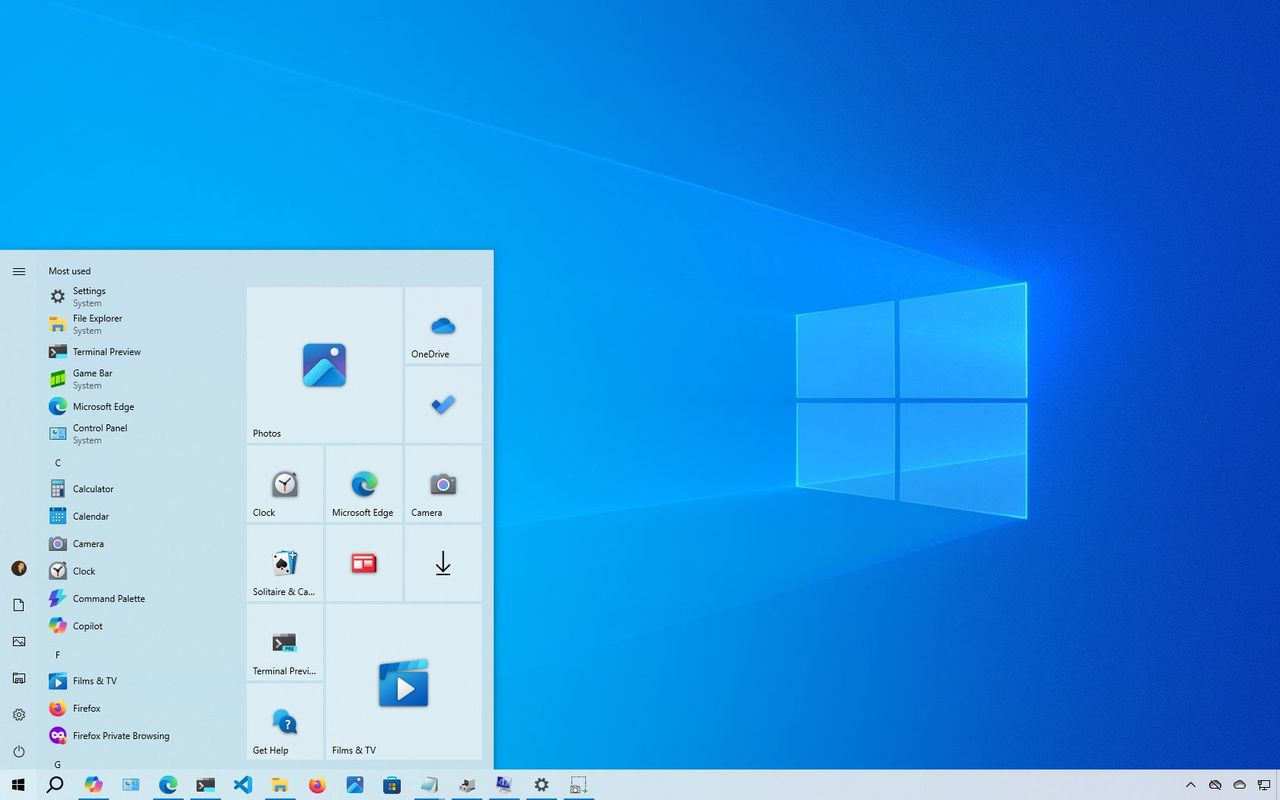
The Start menu in Windows 10 struck a perfect balance between design and customization. It combined the traditional list format of Windows 7 with the Live Tiles from Windows 8, allowing users to pin apps, folders, and websites in a layout that was both familiar and flexible. The full-screen mode and the ability to manually resize the menu by dragging its edges made it intuitive and user-friendly. In contrast, the Start menu in Windows 11 is minimal and static, relying more on search and offering fewer customization options.
2. Taskbar Flexibility That Respected Users
On Windows 10, the Taskbar could be positioned at the top, left, or right of the screen, and users had extensive control over its behavior. This included customizing system icons in the System Tray and resizing the Taskbar. Windows 11, however, locks the Taskbar to the bottom and limits its functionality. Many users have requested basic features like the ability to move the bar anywhere on the screen, which are still missing.
3. Classic File Explorer That Worked
While not perfect, the File Explorer in Windows 10 was stable, fast, and free from unnecessary bloat. It provided all the essential features needed for file management. The modern design of File Explorer in Windows 11 introduced inconsistencies and clutter, leading to occasional issues.
4. Less Demanding Hardware Requirements
Windows 10 was compatible with nearly every computer from the past decade. It didn't require TPM 2.0, Secure Boot, or newer processors, making it accessible for businesses and consumers who wanted to avoid costly hardware upgrades. While security is important, Windows 11's stricter requirements caused many capable devices to become obsolete.
5. No AI, Fewer Distractions
Windows 10 kept things simple. Although Microsoft later introduced the Copilot app, it was a web-based application that could be easily uninstalled. Unlike Windows 11, which integrates AI into every aspect of the OS, Windows 10 did not feel intrusive. It collected telemetry data but did not make users feel constantly monitored.
6. Easy Setup with Local Account During Installation
Windows 10 allowed users, especially those on the Home edition, to set up a local account during installation without any complications. This gave users more control and privacy, particularly for those who preferred not to link their devices to a Microsoft account. In contrast, Windows 11 forces users toward signing in with a Microsoft account, making it difficult to create a local account without disconnecting from the internet.
It’s Time to Upgrade
Despite its age, Windows 10 remains relevant today, holding a significant market share of 48.89 percent, according to StartCounter. However, support for this version will end on October 14, 2025. If you're still using Windows 10, you have two options: upgrade to Windows 11 for free or enroll in the Extended Security Updates program to receive security updates until October 13, 2026.
What features do you miss the most about Windows 10? Share your thoughts in the comments.
Additional Resources
For more information on how to get the most out of Windows 11 and 10, explore these resources:
- Windows 11 on Windows Central — All You Need to Know
- Windows 10 on Windows Central — All You Need to Know
For more stories like this, follow us on MSN by clicking the +Follow button at the top of this page.

Post a Comment for "Windows 10 at 10: Time to Say Goodbye? 6 Features I'll Miss"
Post a Comment