Why Your JBL Headphones Won't Charge (And How to Fix It)
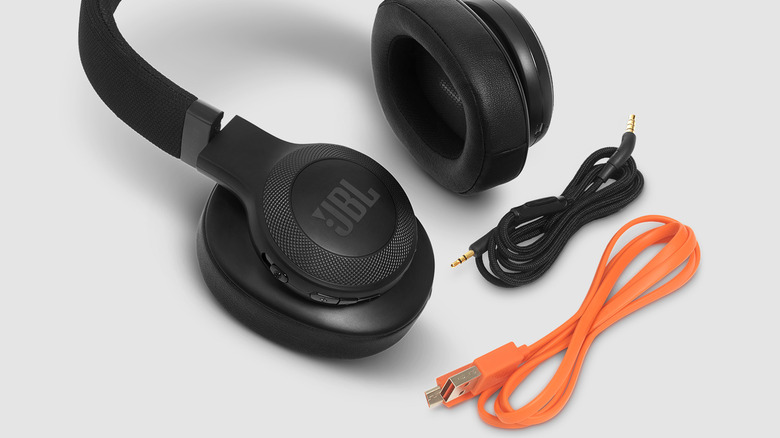
The Evolution of Headphones and the Rise of Wireless Technology
The days of tangled wires and limited mobility are long gone. In recent years, wireless headphones have taken over as the preferred choice for many consumers, and for good reason. They offer a level of convenience that wired headphones simply can’t match. From the freedom of movement to advanced features like active noise cancellation and customizable sound profiles, wireless models have become essential for both casual listeners and audiophiles.
Major brands such as JBL have embraced this shift, incorporating features like touch controls, device locators, and more into their designs. These enhancements make wireless headphones not just convenient but also highly functional. However, wired headphones still have their place, offering basic inline microphones and controls—though these are often limited compared to their wireless counterparts.
Challenges with Wireless Headphones: Battery Life and Charging Issues
Despite their many advantages, wireless headphones come with their own set of challenges. One of the most common issues is battery life. Unlike wired headphones, which can be used indefinitely without worrying about power, wireless models require regular charging. This can be inconvenient, especially if you're out and about and suddenly find your headphones dead.
Even more frustrating is when your headphones refuse to charge altogether. Imagine leaving them on the charger for hours only to discover that the battery hasn’t increased at all. If you’re using JBL headphones and facing this problem, it could be due to dirty charging contacts—a common issue that can often be resolved with some simple cleaning.
How to Fix Charging Issues on JBL Headphones
According to JBL, one of the main reasons headphones may not charge is because of dirt or grime buildup on the charging contacts. This is especially true for in-ear models, which are more likely to accumulate oil, sweat, and earwax from frequent use. Here’s how you can clean your JBL in-ear headphones and potentially restore their charging functionality:
- Prepare Cleaning Tools: Gather Q-tips, rubbing alcohol, and a clean cotton cloth.
- Dampen a Q-tip: Soak a Q-tip in rubbing alcohol.
- Clean the Charging Pins: Gently rub the damp Q-tip on the metallic charging pins located on the earbuds and the charging case. For stemmed in-ear headphones, the terminals are typically at the bottom of the stems. For compact earbuds, they are near the in-ear speakers.
- Dry the Earbuds: Wipe the earbuds dry with a clean cotton cloth.
- Clean the Charging Case: Use a cotton cloth or Q-tip to clean the inside of the charging case. Leave it open to air dry.
If this method doesn’t work, you can try using a pencil and eraser. Rub the graphite and eraser on the charging contacts before attempting to charge again. For over- or on-ear JBL headphones, check if a different USB cable or charger can resolve the issue. You can also leave the headphones on the charger for at least eight hours to see if the battery level increases. If the cable wiggles when plugged in, the port may be loose. Try gently wiggling it to establish a better connection.
When to Seek Professional Help
If none of these methods work, it might be time to take your headphones to a service center. This is especially important if you suspect the battery has failed and can no longer hold a charge. A professional technician can diagnose the issue and provide the necessary repairs or replacements.
Wireless headphones continue to evolve, offering more features and better performance with each new model. However, understanding how to maintain and troubleshoot them is just as important as choosing the right pair. With a little care and attention, you can ensure your headphones stay in top working condition for years to come.
)
Post a Comment for "Why Your JBL Headphones Won't Charge (And How to Fix It)"
Post a Comment