From BBQ Mistakes to Grill Mastery: How an App Saved My Summer Cooking
The Summer Grilling Challenge
As the summer season kicks into high gear, there's no better time to fire up the grill and enjoy the outdoors. For me, the Weber Kettle BBQ has been a trusted companion for over fifteen years. Its versatility in using both direct and indirect heat makes it a favorite for many backyard cooks. While I may not be a professional chef, I’ve learned through trial and error that grilling can be as much about patience as it is about technique.
I’ve definitely had my share of burnt burgers and undercooked sausages. Cooking chicken on the grill is a challenge I often avoid, preferring to finish it off in the oven instead. It’s surprising that grilling isn’t part of the standard school curriculum—after all, who wouldn’t want to master the art of the perfect burger?
At 40, I’ve decided to take my grilling skills to the next level. I picked up a book that covers the theory and practice of grilling, but it didn't help with the timing aspect. That’s where the GrillTime app comes in handy.
Simplifying the Grilling Process
GrillTime is a straightforward timer-based app designed to make grilling easier and less stressful. All you need to do is select your meat, its thickness, and the desired level of doneness. The app then calculates the perfect cooking time and temperature. No more complicated calculations or confusing lists when the heat is on.
Perfect Timing Every Time
When you open the app, you’re greeted with a variety of food options, including burgers, chicken, pork, fish, vegetables, and more. If you're grilling a menu created by someone else, like my wife, you can go through each item one by one.
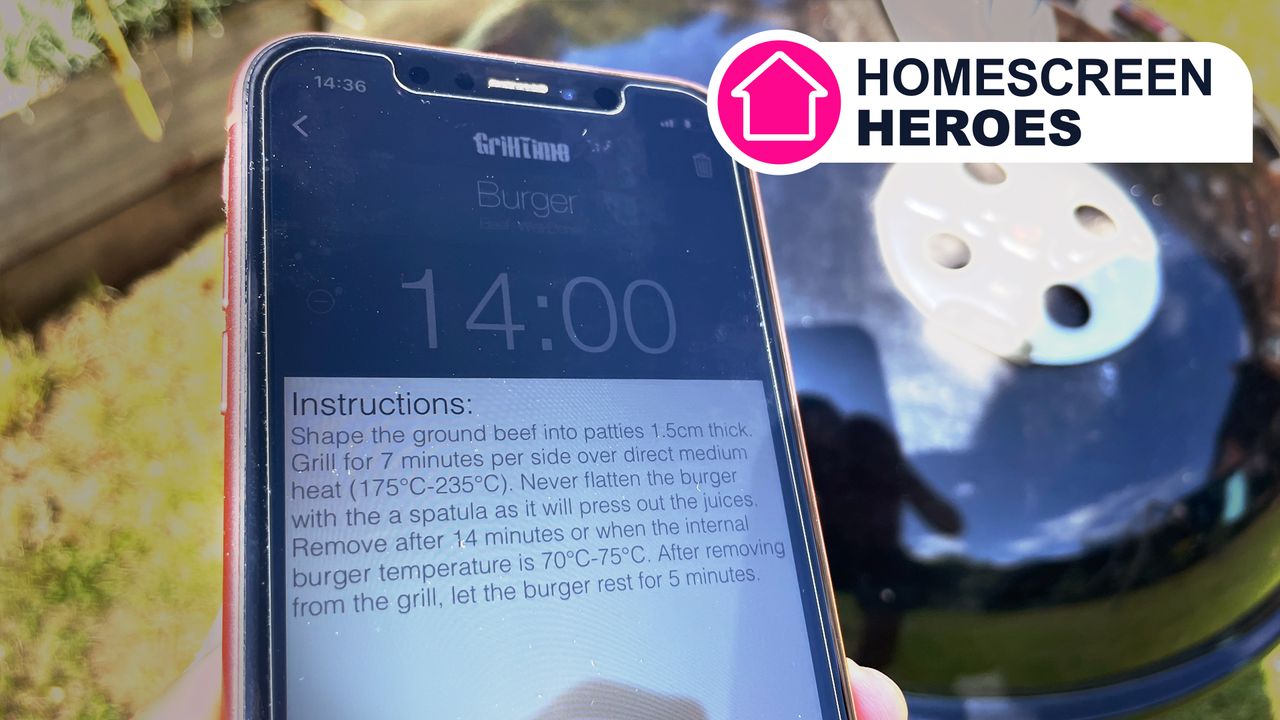
Once you choose a food item, the app lets you specify details such as type and thickness. For example, if you pick "Burger," you can choose between beef, turkey, or veggie. A simple slider allows you to adjust the thickness. Then, you decide how well-done you want the item cooked. The app provides customized instructions based on your selection, detailing the exact timings and temperatures needed.
Mastering Timings
After setting your preferences, add the timer and repeat the process for each food item you're cooking. The timers stack up, allowing you to access them all at once. If you're cooking multiple portions of the same item, you can create separate timers for each. However, there's no easy way to duplicate existing timers, which is a minor inconvenience.
The app features a simple, user-friendly interface that makes starting, stopping, and adding extra time effortless. While I would appreciate the ability to rearrange the order of items in the list, this is a small issue.
Background Operation and Notifications
Once you start your timers, GrillTime runs in the background and sends notifications when it's time to flip or remove your food from the grill. If you own an Apple Watch, you can control timers, view instructions, and receive flip reminders without needing to check your phone constantly. This feature enhances the overall experience, allowing you to focus more on your guests.
Achieving BBQ Pro Status
If you've ever felt overwhelmed while grilling, unsure of how long to cook your food while trying to avoid burning everything, GrillTime could be the solution you need. I was particularly impressed with the Apple Watch integration, which lets you keep your phone in your pocket and engage more with your guests.
You can download GrillTime on iOS for $1.99/£1.99. There are no free trials or in-app purchases. If you're looking for an Android alternative, consider the GrillTimer app by Migros-Genossenschafts-Bund.
Whether you're a seasoned grill master or just starting out, the right tools can make all the difference. With the help of apps like GrillTime, mastering the art of grilling has never been easier.

Post a Comment for "From BBQ Mistakes to Grill Mastery: How an App Saved My Summer Cooking"
Post a Comment