Can You Share a BMW Digital Key?
Understanding the BMW Digital Key
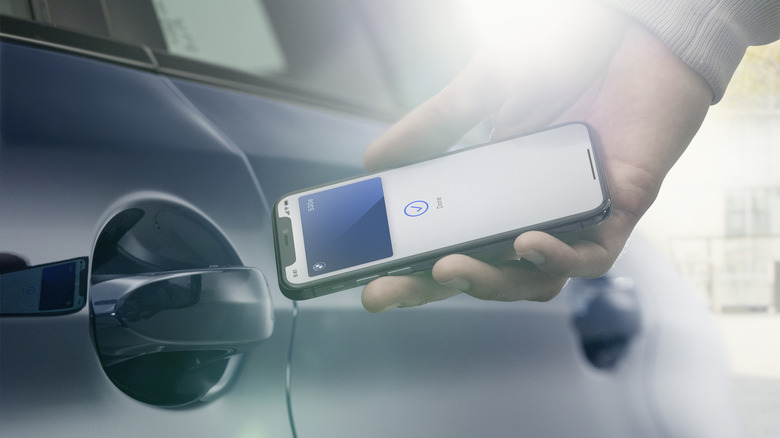
While some users may find BMW's digital key fob to be one of the more frustrating car keys available, its digital counterpart offers several advantages. The BMW Digital Key is seamlessly integrated with the My BMW App and can be accessed through both iPhone and Android devices. This app allows drivers to manage various aspects of their vehicle remotely, such as adjusting the climate control, locking or unlocking doors, checking the battery charge status, and receiving important maintenance alerts. Additionally, it provides a shareable digital key feature that enables others to use the car without needing a physical key.
This functionality is especially useful for family members or trusted individuals who may need access to the vehicle. The owner has full control over who can use the car, when, and under what conditions. They can also revoke access at any time through the My BMW App. Below are the steps to share a BMW Digital Key and some considerations to keep in mind during the process.
How to Share a BMW Digital Key
For iPhone users, the first step is to activate the Digital Key using the BMW Setup Card and the My BMW App. This can be done by either scanning the QR code on the back of the card or placing the card on the back of the phone. It’s important to approve the card by holding it close to the phone and completing the pairing process with the vehicle. After this, enter the car with a physical key to finalize the setup process within the app or the car’s center screen, and then add the Digital Key to Apple Wallet.
Android users will follow a similar process, though these features are only available for Android 12 or later. Begin by placing the card at the back of the phone and tapping the message on the welcome screen in the My BMW App. Follow the instructions within the app to link your BMW to your BMW ID. Then, enter the vehicle with a physical key and complete the activation process through the My BMW App. Once this is done, the digital key should be ready for use.
Once the key is activated, sharing it becomes straightforward. Open the Wallet app and select the appropriate sharing option for your device. Choose a contact you wish to share the key with, adjust the permissions you want to grant, and if needed, add an activation code for extra security. The recipient will receive an invitation with instructions on how to activate the key on their device and will be able to use the car according to the permissions set.
BMW Digital Key Limits and Restrictions
According to BMW, the standard Digital Key feature allows owners to share a digital key with up to five individuals. However, the upgraded Digital Key Plus increases this limit to 18 people. The Digital Key can also be used across multiple vehicles, but each key card is unique to a single BMW vehicle. This ensures a higher level of security, as only the owner with the key card can provide access to a specific BMW.
In addition, owners can set restrictions, such as limiting the maximum speed, controlling acceleration rates, determining whether a driver can disable safety systems like stability control, and even restricting the volume of the car’s entertainment system. While this feature enhances convenience, it also comes with potential risks that should be considered carefully.
For those interested in staying updated on the latest trends in technology and automobiles, subscribing to a free newsletter is a great way to receive expert insights, guides, and tips directly in your inbox.

Post a Comment for "Can You Share a BMW Digital Key?"
Post a Comment