Turn My Old Phone Into a DIY Dashcam
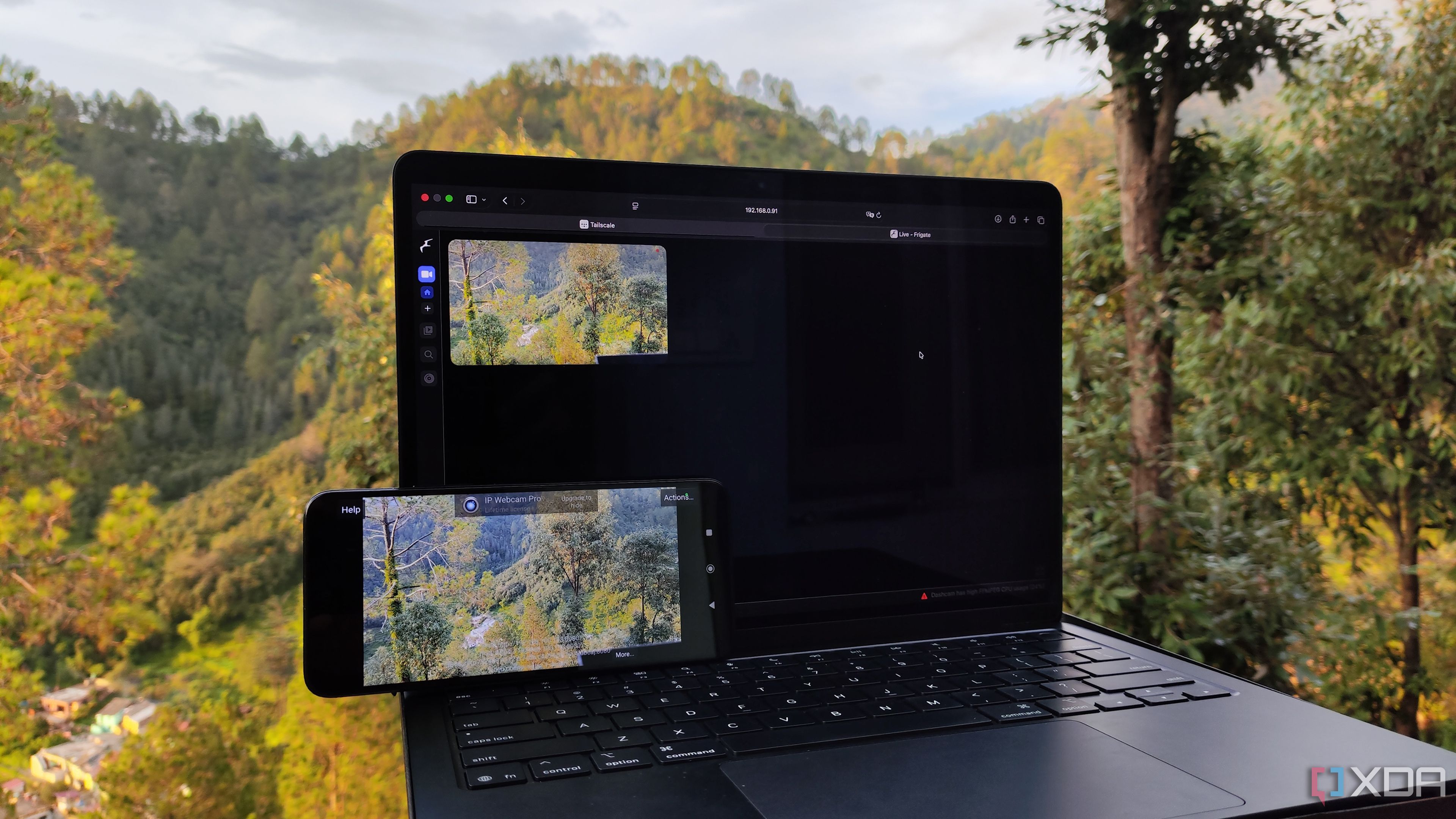
Repurposing an Old Smartphone as a Frigate-Powered Dashcam
Many of us have old gadgets that end up collecting dust after we upgrade to newer models. From small form factor computers (SBCs) and mini-PCs to personal computers (PCs) and network-attached storage (NAS) devices, these devices often find new life through creative repurposing. Recently, I've taken on the hobby of transforming outdated hardware into useful components for my projects. Whether it's running powerful virtual machines on older PCs or using decade-old laptops as smart home hubs, the possibilities are endless.
This week, I decided to focus on smartphones—specifically an old device powered by a Dimensity processor that I had set aside after experiencing the high-speed performance of Snapdragon processors. Despite being an older model, the phone is still fully functional, and I wanted to see if I could integrate it into my self-hosted application stack. After some internal discussions, I settled on creating a DIY dashcam. The idea was to use the phone’s SIM card to send footage to my NAS in case the phone (and car) were stolen or involved in an accident.
Here's a breakdown of how I transformed my old smartphone into a Frigate-powered dashcam.
Setting Up RTSP Streams for My Phone’s Camera
One of the biggest concerns with using an old phone is the potential degradation of its battery. Since I would be keeping it plugged into my car all the time, there was a risk of further damaging the already weakened battery. To address this, I tested the battery health using several apps, and they confirmed that my phone had less than 10% wear, which was acceptable for this project.
With the battery issue resolved, I needed a way to connect the phone’s camera to my NVR setup. An RTSP stream seemed like the perfect solution. I looked for applications that could transmit the camera feed from my makeshift dashcam back to my server located in my basement. Fortunately, IP Webcam made the process straightforward. All I had to do was install the app, start the server, and note the RTSP address of my phone.
Deploying the Ideal NVR Utility
Once the phone side was set up, it was time to focus on the home server. Over the past few months, I’ve experimented with various Network Video Recorder (NVR) applications, including MotionEye and ZoneMinder. However, Frigate has become my go-to choice for this setup due to its clean user interface, ease of configuration, and compatibility with most of my devices.
I already had a Frigate server running, but deploying it is relatively simple. For those who prefer containerization, you can take the Compose code from the official Frigate website, paste it into a new docker-compose.yml file, adjust the path parameters, and run the container using the command sudo docker compose up -d.
If you're using a TrueNAS Scale or Unraid NAS, you'll find pre-built templates for Frigate in their respective app stores. You just need to input your preferred directory settings to create a Frigate container. For users of Proxmox, the process involves running a bash script from the official repository, selecting default options, and letting the script handle the rest.
Linking the Two via Tailscale
At this point, both the Frigate NVR and the phone-based RTSP camera were configured. The next step was adding the RTSP server details to the Frigate instance’s configuration file. However, there was a major challenge: both parts of the project were connected to my LAN, and my home network wouldn’t be accessible when I was away from my home lab.
To solve this, I turned to a Virtual Private Network (VPN) service. Tailscale became my preferred option because it works even on networks with Carrier-Grade NAT (CGNAT). Setting it up was as simple as running the command curl -fsSL https://tailscale.com/install.sh | sh, followed by sudo tailscale up to bring the server online. I then logged in using the link generated in the terminal.
Tailscale is also easy to deploy on smartphones. I installed the .apk file and linked it to the same device I used earlier. Additionally, IP Webcam automatically updates the phone's IPv4 address with the one provided by Tailscale, making it easier to connect the RTSP camera stream to the Frigate NVR.
Making Some Extra Modifications to the Setup
While the software side of the project is complete, there are a few hardware modifications that could enhance the setup. Since I own a 3D printer, I plan to design a custom car mount for my DIY dashcam. I will also need to purchase a car charger, as the dashcam may drain the battery within a few hours of driving. These additions will help ensure the long-term reliability and usability of the system.

Post a Comment for "Turn My Old Phone Into a DIY Dashcam"
Post a Comment