How to Create a YouTube Channel Brand Kit
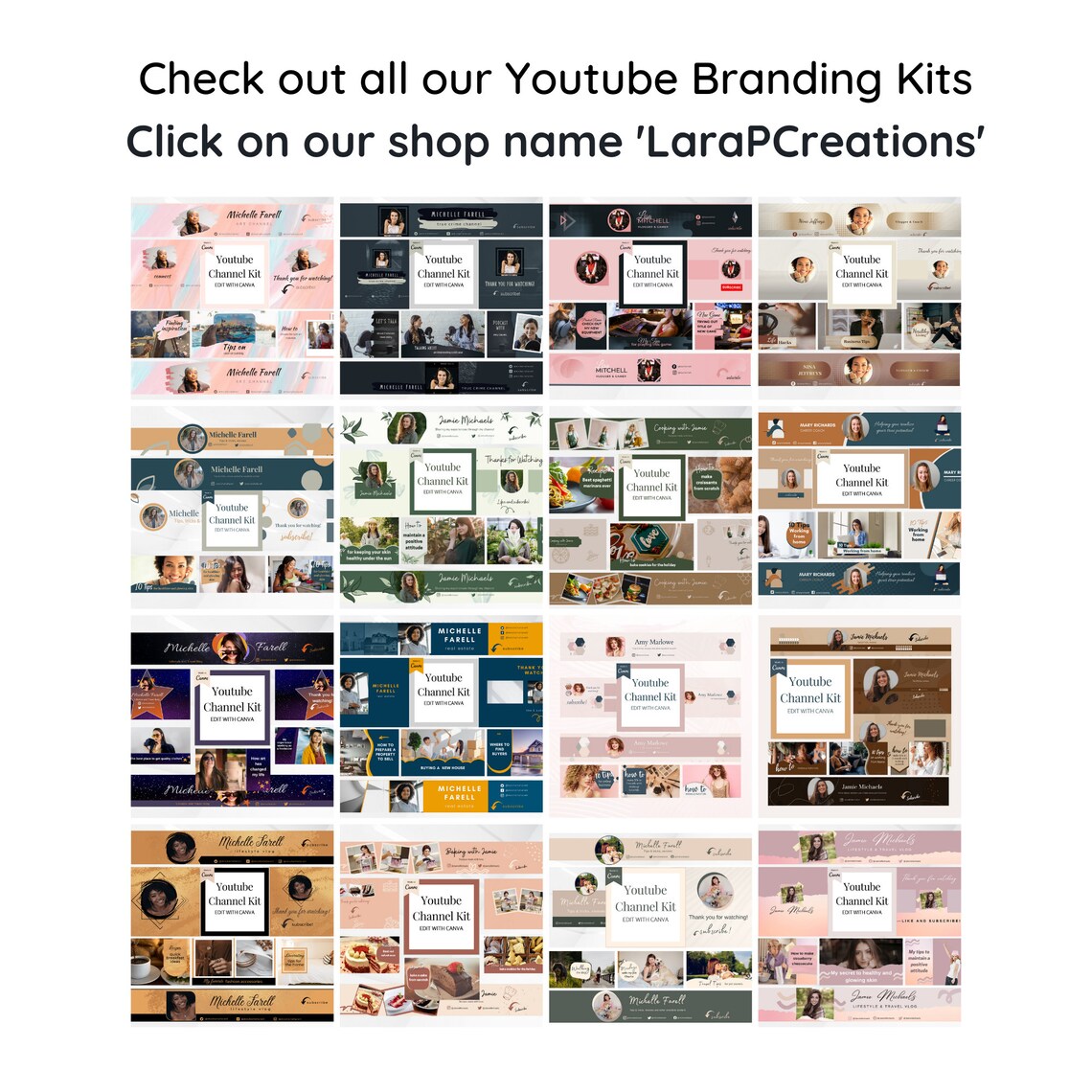
Crafting Your Killer You Tube Channel Brand Kit: A Visual Symphony for Subscribers
Hey there, future You Tube superstar! Ever scrolled through You Tube and noticed some channels justpop? They have that "it" factor, a visual allure that makes you want to hit subscribe instantly. It's not just about the amazing content (though that's crucial!), it's about branding. Think of your favorite brands – Nike, Apple, even Coca-Cola. You instantly recognize them, right? That’s the power of a consistent brand. Now, your You Tube channel? It deserves the same level of visual pizzazz.
Let’s be honest, starting a You Tube channel can feel like throwing spaghetti at the wall. You're experimenting with content, figuring out your editing style, and trying to decipher the You Tube algorithm’s cryptic secrets. Branding? It often gets pushed to the back burner. "I'll get to it later," you say, while wrestling with video rendering and thumbnail creation. But here’s the thing:consistent branding isn’t a luxury; it’s a necessity. It’s the glue that holds your channel together, making you memorable, recognizable, and, ultimately, helping you attract a loyal audience. Think of it like this: your content is the heart of your channel, but your brand is the face. Would you go on a first date without brushing your teeth? (Okay, maybe some of us have… but you get the point!).
Imagine two channels. Channel A has a different logo every week, uses jarring color schemes, and its thumbnails look like they were designed by a committee of caffeinated toddlers. Channel B, on the other hand, sports a consistent logo, uses a carefully chosen color palette, and its thumbnails are clean, professional, and instantly recognizable. Which channel wouldyoube more likely to subscribe to? The answer is obvious. Channel B screams "professionalism," "attention to detail," and "someone who actually cares about their content." And that, my friends, is what a brand kit achieves.
But creating a brand kit? Sounds daunting, right? Visions of expensive designers and complicated software might be dancing in your head. Fear not! We're here to break it down into bite-sized, manageable pieces. We're going to show you how to create a You Tube channel brand kit that's both effective and, dare we say, fun. We’re talking logos, color palettes, fonts, thumbnails, channel art – the whole shebang. We'll even touch on how to maintain consistency across all your platforms, because let’s face it, consistency is key. Think of it as giving your channel a visual makeover – a glow-up that will leave viewers saying, "Wow, this channel is the real deal!" So, are you ready to transform your You Tube channel from a chaotic mess into a visually stunning masterpiece? Let’s dive in and unlock the secrets to crafting a brand kit that will make your channel unforgettable!
How to Create a You Tube Channel Brand Kit
Alright, let's get down to the nitty-gritty! Creating a You Tube channel brand kit isn't about blindly following trends. It's about crafting a visual identity that authentically representsyouand your content. Think of it as building a house – you need a solid foundation before you start decorating. Here's your blueprint:
Foundation: Defining Your Brand Identity
Before you even think about colors and fonts, you need to understand what your brandis. This is the soul of your channel. It’s the core message you want to convey. Ask yourself these crucial questions:
• Who is your target audience?: Are you speaking to Gen Z gamers, millennial moms, aspiring entrepreneurs, or something else entirely? Knowing your audience informs every aspect of your branding, from your color choices to your tone of voice. If you're targeting Gen Z, you might lean towards brighter, bolder colors and a more playful tone. For a more professional audience, a sophisticated and minimalist approach might be better. Don’t be afraid to get specific!
• What is your channel about?: Sounds obvious, right? But drill down deeper. It's not just "gaming videos," it's "strategy-based gaming with humorous commentary." Or it's not just "cooking tutorials," it's "quick and healthy vegan recipes for busy professionals." The more specific you are, the easier it will be to create a brand that resonates with your target audience.
• What are your brand values?: What makes you unique? What do you stand for? Are you all about positivity, education, humor, or something else? These values should be reflected in your branding. For example, if you value authenticity, your branding should feel genuine and unpretentious. If you value innovation, your branding might be more modern and cutting-edge.
• What is your unique selling proposition (USP)?: What makes you different from all the other channels in your niche? Why should people chooseyou? This could be your personality, your expertise, your unique content format, or anything else that sets you apart. Highlight your USP in your branding to attract viewers who are looking for what you offer.
Think of these questions as the foundation of your brand. Write down your answers, because you'll be referring back to them throughout the branding process. This isn't just about aesthetics; it's about building a brand with meaning and purpose.
The Building Blocks:Essential Elements of Your Brand Kit
Now that you've laid the groundwork, let's start constructing the actual brand kit. These are the key elements you'll need to create a consistent and recognizable visual identity:
• Logo: Your logo is the face of your channel. It's the first thing people see, so it needs to be memorable and representative of your brand. A professional logo is a must-have. If you're not a designer, consider hiring a freelance designer on platforms like Fiverr or Upwork. A logo should be simple, scalable (looks good at different sizes), and timeless. Avoid overly trendy designs that will quickly become outdated. As of 2024, minimalist logo designs are still trending.
• Color Palette: Choose 2-3 primary colors and 1-2 accent colors that reflect your brand's personality and values. Consider color psychology: blue conveys trust, red conveys excitement, green conveys growth, etc. Use a tool like Adobe Color or Coolors to create a harmonious color palette. Consistent use of these colors across all your channel elements creates visual unity. This is super important. If your content is about finance, a palette of blues and greens might instill confidence.
• Typography: Select 1-2 fonts for your channel. One for headings and one for body text. Make sure they are legible and complement each other. Google Fonts offers a wide variety of free fonts. Pay attention to font pairing – some fonts just don't work well together. A classic combination is a serif font for headings and a sans-serif font for body text. This creates a visual hierarchy that is easy on the eyes.
• Thumbnails: Your thumbnails are your channel's billboards. They need to be eye-catching and informative. Use consistent colors, fonts, and design elements in your thumbnails to create a recognizable style. A/B test different thumbnail designs to see what works best. As of 2024, bright colors and clear, concise text tend to perform well. Tools like Canva make thumbnail creation easy, even if you're not a designer.
• Channel Art (Banner): Your channel art is the large banner image at the top of your channel page. Use this space to showcase your logo, tagline, and a visually appealing image that represents your channel. Make sure your channel art is optimized for different devices (desktop, mobile, TV). You Tube provides templates to ensure your channel art looks good on all screens. This is your chance to make a strong first impression.
• Watermark: Add a watermark to your videos to promote your brand and prevent unauthorized use of your content. Your watermark can be your logo or a simple text overlay. You Tube allows you to add a watermark in your channel customization settings. This is a subtle but effective way to reinforce your brand identity.
• Intro/Outro: Create a short intro and outro animation that features your logo, colors, and music. This adds a professional touch to your videos and reinforces your brand identity. Keep it short and sweet – no one wants to sit through a 30-second intro every time they watch one of your videos. As of 2024, shorter intros (5-10 seconds) are generally preferred.
Putting It All Together: Creating Your Brand Kit Document
Once you've created all of these elements, compile them into a brand kit document. This document serves as a reference guide for you and anyone else who creates content for your channel. Your brand kit document should include:
• Your logo in various formats (e.g., PNG, JPG, SVG).
• Your color palette with hex codes and RGB values.
• Your chosen fonts with examples of how they should be used.
• Examples of your thumbnail design.
• Your channel art template.
• Guidelines for using your brand elements.
• Examples of intro and outro animations.
This document ensures that everyone is on the same page and that your branding remains consistent across all platforms. Think of it as your brand bible. Refer to it whenever you're creating new content or collaborating with others.
Maintaining Consistency: The Key to Brand Recognition
Creating a brand kit is only half the battle. The real challenge is maintaining consistency across all your channel elements. This means using your logo, colors, fonts, and design elements consistently in your videos, thumbnails, channel art, and social media profiles. This is where many You Tubers fall short. They create a brand kit, but then they don't consistently apply it.
• Use a social media management tool to schedule your posts and ensure they adhere to your brand guidelines. Tools like Hootsuite and Buffer allow you to manage multiple social media accounts from a single platform.
• Create templates for your thumbnails, channel art, and social media graphics. This makes it easier to maintain consistency and saves you time. Canva is a great tool for creating templates.
• Review your channel and social media profiles regularly to ensure that your branding is consistent. This is especially important if you have multiple people working on your channel.
• Train your team on your brand guidelines. Make sure everyone understands how to use your logo, colors, fonts, and design elements correctly.
• Be patient. Building a strong brand takes time and effort. Don't get discouraged if you don't see results immediately. Just keep creating great content and consistently applying your brand guidelines.
Evolving Your Brand: Adapting to Trends and Feedback
Your brand isn't set in stone. As your channel grows and evolves, you may need to update your brand kit to reflect your current content and audience. This doesn't mean completely abandoning your existing brand, but rather making subtle adjustments to stay relevant.
• Pay attention to trends in your niche. What are other successful channels doing? Are there any new design trends you should be aware of?
• Solicit feedback from your audience. Ask them what they think of your branding and what could be improved. You can use polls, surveys, or simply ask for feedback in your video comments.
• Don't be afraid to experiment. Try out new thumbnail designs, color palettes, or intro animations. Track your results to see what works best.
• Regularly review your brand kit and make updates as needed. This ensures that your branding remains fresh and relevant.
Remember, your brand is a living, breathing thing. It should evolve as your channel grows and adapts to the ever-changing landscape of You Tube. By consistently applying your brand guidelines and staying open to feedback, you can create a visual identity that will help you stand out from the crowd and attract a loyal audience.
Frequently Asked Questions About You Tube Channel Branding
Let's tackle some common questions that pop up when creating a You Tube brand kit:
• What if I'm not a designer? Can I still create a professional-looking brand kit?: Absolutely! There are tons of user-friendly tools like Canva that offer pre-designed templates for logos, thumbnails, and channel art. Plus, you can always hire a freelance designer on platforms like Fiverr or Upwork for a relatively low cost.
• How often should I update my brand kit?: It depends! Minor tweaks (like updating your channel art or trying a new thumbnail style) can be done every few months. A major overhaul should only be considered if your channel's content or target audience has significantly changed.
• Is it okay to copy the branding of other successful channels?: A big NO! While it's fine to draw inspiration from other channels, directly copying their branding is unethical and can damage your reputation. Focus on creating a unique brand that reflects your own personality and content.
• What's the most important element of a You Tube brand kit?: Consistency! A mediocre logo used consistently is far more effective than a stunning logo used sporadically. Make sure you're applying your brand guidelines across all your channel elements.
These are just a few of the many questions that people have about creating a You Tube brand kit. Don't be afraid to experiment and find what works best for you and your channel.
So, there you have it! You've now got the knowledge and tools to create a killer You Tube channel brand kit. We covered everything from defining your brand identity to maintaining consistency and evolving your brand over time. It's time to take action!
Your mission, should you choose to accept it, is to start implementing these strategies today. Begin by revisiting your channel and identifying areas where your branding could be improved. Then, create a brand kit document that outlines your logo, color palette, fonts, and design guidelines. Finally, consistently apply your brand guidelines across all your channel elements. This will make you visually striking, helping you stand out from the crowd and attract a loyal audience.
Remember, building a strong brand takes time and effort. Don't get discouraged if you don't see results immediately. Just keep creating great content and consistently applying your brand guidelines. The results will speak for themselves. Are you ready to transform your channel into a visually stunning masterpiece?

Post a Comment for "How to Create a YouTube Channel Brand Kit"
Post a Comment