Globular Cluster CMQ3 Review: Open-Face Comfort Unveiled
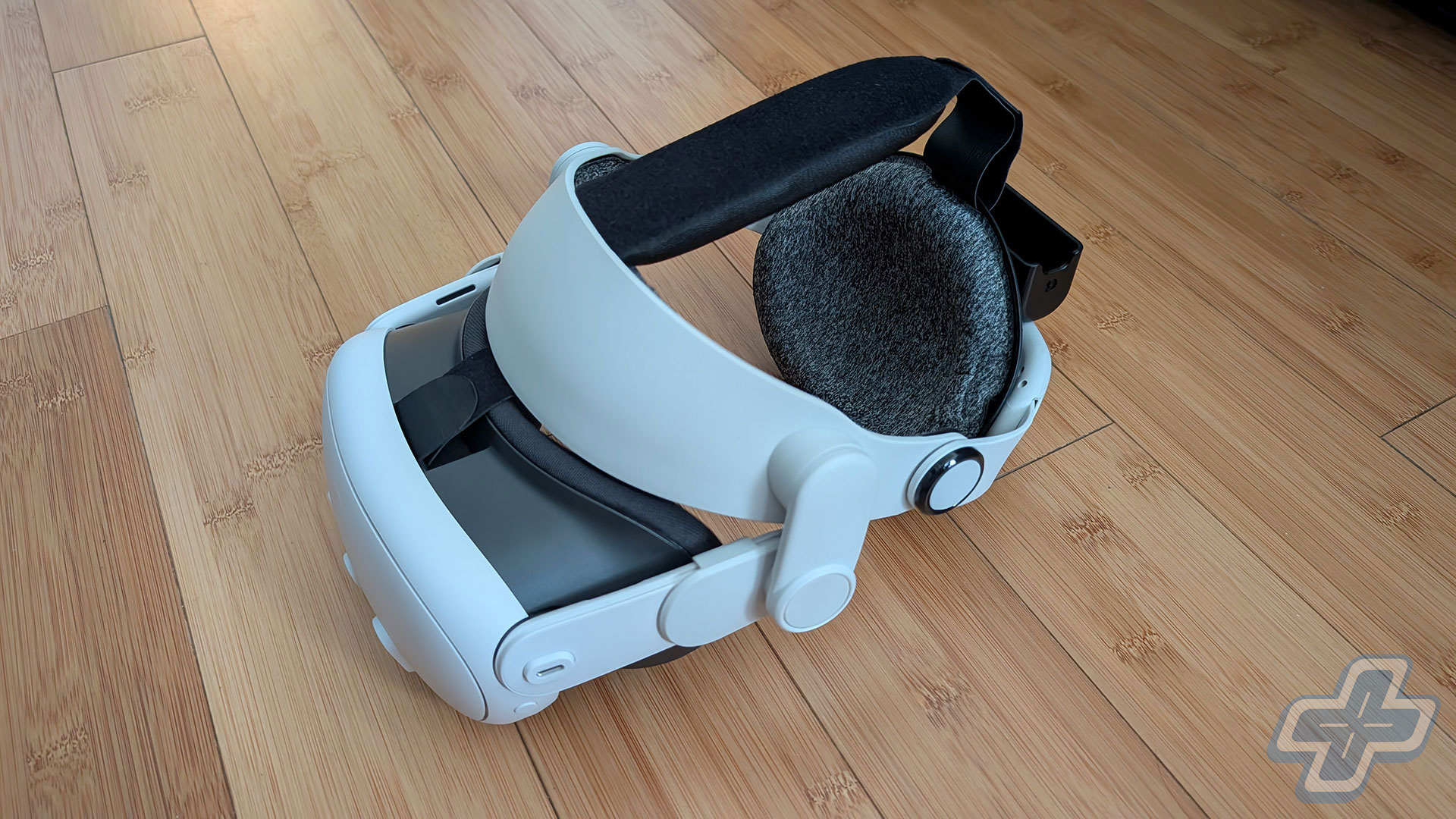
A Deep Dive into the Globular Cluster CMQ3 for Meta Quest 3
When it comes to virtual reality, comfort is often a deciding factor in whether a user will continue using a headset. The Meta Quest 3 has its strengths, but from the moment I first put it on, I felt that comfort wasn’t one of them. Having used the PlayStation VR2 with the Globular Cluster CMP2 Comfortable Mod for over a year, I knew I needed something similar for the Meta Quest 3. That’s when I came across the CMQ3, which promises an open-face design and improved comfort.
The CMQ3 is different from the CMP2 in several ways. While both offer customizable cushions and adjustments, the CMQ3 transforms the Meta Quest 3 into an open-face model. This design is intended to provide more airflow and reduce pressure points, especially during long gaming sessions. However, the process of getting the CMQ3 to fit just right took significantly more effort than the CMP2 on the PlayStation VR2.
One of the main benefits of the CMQ3 is the halo-style strap, which offers a much better distribution of weight compared to the original Meta Quest 3 strap. This alone makes the CMQ3 worth considering for users who find the default strap uncomfortable. Still, the open-face design didn’t sit well with me at first. I found myself missing the snug feel of the facial interface, even though it was designed to be more comfortable in the long run.
Setting up the CMQ3 was easier than I expected, but not without its challenges. The package includes three rear pads, three forehead pads, and two top straps. The padded top strap comes pre-installed, which I preferred. I also kept the same forehead and rear pads I had been using on the PlayStation VR2, so I didn’t need to swap anything out. However, adjusting the headset to fit comfortably on my head took some time. Unlike the PlayStation VR2, the Meta Quest 3 has pancake lenses, which made finding the sweet spot easier, but the overall adjustability still required a bit of trial and error.
Another feature of the CMQ3 is the rear battery holder and USB-C cable, designed primarily for the Anker 5000mAh power bank. While I haven’t tested this part yet, it looks like a neat solution for users who want to extend their battery life. There’s also a small Velcro strap included to keep the cable secure.
Despite the initial discomfort, the CMQ3 does improve the overall experience for extended use. It relieves pressure points that can become problematic during long sessions of games like Beat Saber, Asgard’s Wrath 2, and Batman: Arkham Shadow. However, it’s important to note that the open-face design may not suit everyone. Some users might find the peripheral visibility distracting, and the glare from the lenses could be an issue.
If you’re someone who finds the default strap of the Meta Quest 3 uncomfortable, the CMQ3 is definitely worth trying. Just be prepared to spend some time adjusting it to get the perfect fit. Keep in mind that even with all the adjustments, there’s still a chance it might not work perfectly for you. The CMQ3 introduces more variables than the CMP2 did for the PlayStation VR2, which means the overall comfort experience can vary widely depending on individual preferences.
In conclusion, the Globular Cluster CMQ3 is a solid investment for those looking to enhance their Meta Quest 3 experience. It addresses many of the comfort issues that come with the original headset and offers a more personalized fit. If you’re willing to put in the time to adjust it properly, the CMQ3 could be one of the best accessories you can buy for your Meta Quest 3.

Post a Comment for "Globular Cluster CMQ3 Review: Open-Face Comfort Unveiled"
Post a Comment