Beginner’s Guide to Creating Instagram Highlights
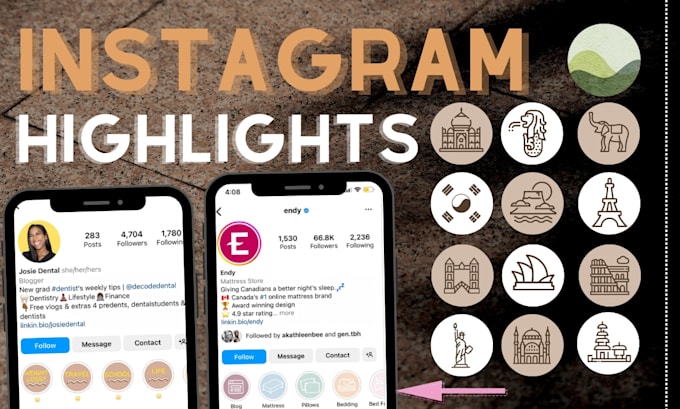
Unlock the secret to captivating your audience and boosting your brand with this Beginner’s Guide to Creating Instagram Highlights.
Hey there, friends! Ever scrolled through Instagram and landed on a profile that justpops? I bet a lot of that has to do with their Instagram Highlights. Those little circles right below the bio aren't just pretty decorations, they're your digital storefront, a curated collection of your best content, and honestly, a bit like a visual resume for your brand or personality.
Think of it this way:your Instagram feed is like a never-ending party – a constant stream of photos and videos. Your stories? They’re the fleeting conversations you have at that party, gone in 24 hours. But your highlights? They’re like thebest stories, the memorable moments you want to relive and share again and again. They’re the highlightsof the party. (See what I did there?)
Now, I know what some of you might be thinking:"Instagram Highlights? Sounds complicated!" And honestly, I get it. Social media can sometimes feel like learning a whole new language. But trust me, creating eye-catching and effective Instagram Highlights is way easier than you think. It's not rocket science, or even brain surgery, just a bit of clever curation and some simple steps.
We've all seen those amazing Instagram profiles with perfectly branded highlights, and maybe you've thought, "Wow, I wish I could do that!" The truth is, you absolutely can! And you don’t need a fancy design degree or a team of social media experts to do it. You just need a little guidance, some creative ideas, and the willingness to try something new.
This guide is designed to be your friendly companion on your Instagram Highlights journey. We'll break down everything you need to know, from the basics of creating a highlight to the secrets of crafting compelling covers that make people want to click.
So, are you ready to transform your Instagram profile fromblahtobam? Ready to capture attention, showcase your brand, and tell your story in a visually stunning way? Then keep reading, my friend, because we're about to dive deep into the wonderful world of Instagram Highlights. Prepare to discover thesecretsthat top influencers and businesses use to keep their followers engaged and coming back for more!
Understanding Instagram Highlights:The Foundation

Instagram Highlights are essentially collections of your Instagram Stories that you've saved and organized. Unlike regular stories that disappear after 24 hours, highlights live permanently on your profile, allowing new and existing followers to easily access your most important and engaging content. They're strategically placed right below your bio, making them one of the first things people see when they visit your profile. Think of it as prime real estate on your Instagram page!
Why Use Instagram Highlights?

There are countless reasons to leverage Instagram Highlights for personal and business growth. Here are just a few key benefits: Showcase Your Brand: Highlights provide a fantastic opportunity to showcase your brand identity, values, and unique selling points. You can create highlights that highlight your products, services, or your company's story. They act as a mini-website within your Instagram profile, helping visitors quickly understand what you're all about. Drive Traffic and Sales: Use highlights to promote special offers, new product launches, or upcoming events. You can also add links to your website or specific product pages, making it easy for followers to make a purchase. This is especially effective for e-commerce businesses or anyone selling products or services online. By strategically placing these within relevant story highlights, you can ensure they’re consistently visible and drive conversions. Share Valuable Information: Highlights are a great way to share frequently asked questions (FAQs), tutorials, tips, and other helpful information with your audience. This can save you time answering the same questions repeatedly and position you as an authority in your niche. Build Community: Create highlights that encourage engagement and interaction with your followers. You could run polls, ask questions, or share user-generated content. By fostering a sense of community, you can build stronger relationships with your audience and increase brand loyalty. Organize Content: Highlights allow you to categorize your content into easily digestible chunks. This makes it simple for followers to find the information they're looking for, without having to scroll through your entire feed. Make a lasting impression: Highlights will allow you to capture the attention of anyone who stumbles on to your page, and allow them to quickly access the highlights they want to see!
Planning Your Highlight Strategy
Before you start creating highlights, it's important to develop a strategy. Ask yourself these questions: What are your goals for using Instagram Highlights? Do you want to increase brand awareness, drive sales, or build community? Who is your target audience? What are their interests and needs? What information are they looking for? What are the key topics you want to cover in your highlights? Think about the content that is most relevant to your audience and aligns with your goals. What kind of aesthetic or brand identity do you want to portray? Consider what makes you stand out from everyone else and what your goal is.
Once you have a clear understanding of your goals and target audience, you can start brainstorming ideas for your highlight categories. For example, if you're a food blogger, you might create highlights for recipes, restaurant reviews, and cooking tips. If you're a travel blogger, you might create highlights for specific destinations, travel tips, and packing guides.
Step-by-Step Guide to Creating Instagram Highlights
Now that you knowwhyyou should use Instagram Highlights, let's dive intohowto create them. Don't worry, it's easier than you think!
Method 1: Creating a Highlight from Existing Stories
This is the most common way to create highlights, as it allows you to use content you've already created and shared.
1.Go to Your Profile: Open the Instagram app and navigate to your profile page by tapping your profile picture in the bottom right corner.
2.Tap the "New" Circle: Look for the "+" icon or the word "New" below your bio, right above your feed. This is where you create new highlights.
3.Select Stories: You'll see an archive of your past Instagram Stories. Scroll through and select the stories you want to add to your new highlight.
4.Choose a Cover and Title: Once you've selected your stories, tap Next.You'll then be prompted to choose a cover image for your highlight. You can either select a frame from one of the stories you've chosen or upload a custom image from your camera roll.
5.Name Your Highlight: Give your highlight a clear and descriptive title. Keep it short and sweet so it's easy to read on your profile. Instagram limits highlight titles to 15 characters, so choose your words carefully.
6.Tap "Add": Once you're happy with the cover and title, tap "Add" (or "Done" on i OS) to create your highlight. Your new highlight will now appear on your profile.
Method 2: Creating a Highlight from Your Story Archive
This method is useful if you want to create a highlight from older stories that aren't immediately visible in your main story archive.
1.Access Your Archive: Go to your profile and tap the three horizontal lines in the top right corner (the "hamburger menu"). Select Archive.2.Select "Stories Archive": Make sure you're in the "Stories Archive" section. If you're not, tap the dropdown menu at the top and choose "Stories Archive."
3.Choose Stories: Scroll through your archive and select the stories you want to add to your highlight.
4.Tap "Highlight": Once you've selected your stories, tap the "Highlight" button at the bottom of the screen.
5.Follow Steps 4-6 from Method 1: You'll then be prompted to choose a cover, name your highlight, and tap Add.### Method 3: Adding to an Existing Highlight
If you want to add new stories to a highlight you've already created, here's how:
1.Go to Your Profile: Navigate to your profile page.
2.Tap the Highlight: Tap the highlight you want to add to.
3.Tap "More": In the bottom right corner of the screen, tap More.4.Tap "Edit Highlight": Select "Edit Highlight" from the options.
5.Select Stories: Tap the "Stories" tab. You'll see your story archive. Select the stories you want to add to the highlight.
6.Tap "Done": Once you've selected your stories, tap "Done" (or the checkmark icon) to add them to the highlight.
Designing Eye-Catching Highlight Covers
Your highlight covers are the first impression people have of your highlights, so it's crucial to make them visually appealing and on-brand. A cohesive and attractive set of covers can significantly increase engagement and encourage viewers to explore your highlights.
Importance of Cohesive Branding
Consistency is key when it comes to branding. Your highlight covers should align with your overall brand aesthetic, using the same colors, fonts, and imagery. This helps create a recognizable and professional look that reinforces your brand identity.
Options for Creating Covers
There are several ways to create eye-catching highlight covers: Use a Graphic Design App: Apps like Canva, Adobe Spark Post, and Over offer templates and design tools specifically for creating Instagram highlight covers. These apps allow you to easily customize colors, fonts, and graphics to match your brand. Create Custom Illustrations: If you have design skills, you can create custom illustrations or icons for your highlight covers. This can add a unique and personalized touch to your profile. Use Stock Photos or Icons: Websites like Unsplash, Pexels, and The Noun Project offer free stock photos and icons that you can use for your covers. Just make sure to choose images that are high-quality and relevant to your brand. Use a Frame from Your Stories: As mentioned earlier, you can also select a frame from one of your existing stories as a cover. However, this option may not always be the most visually appealing, so it's best to use it sparingly.
Design Tips for Effective Covers
Here are some tips to keep in mind when designing your highlight covers: Keep it Simple: Avoid cluttering your covers with too much text or too many graphics. A clean and simple design is more visually appealing and easier to understand. Use a Consistent Color Palette: Choose a color palette that reflects your brand and use it consistently across all your covers. Use High-Quality Images: Make sure your images are clear, sharp, and well-lit. Blurry or pixelated images will look unprofessional. Consider the Circular Format: Remember that your covers will be displayed in a circular format, so make sure your design looks good within that shape. Use Icons to Convey Meaning:Icons can be a great way to quickly communicate the topic of each highlight. Choose icons that are easily recognizable and relevant to the content.
Content Ideas for Your Instagram Highlights

Now that you know how to create and design your highlights, let's talk about what kind of content you should include. The possibilities are endless, but here are some ideas to get you started:
For Businesses
Products: Showcase your best-selling products or new arrivals. Include photos, videos, and customer testimonials. Services: Explain the services you offer and highlight the benefits of working with you. About Us: Share your company's story, mission, and values. Introduce your team and give viewers a behind-the-scenes look at your business. Customer Testimonials: Feature positive reviews and testimonials from satisfied customers. FAQs: Answer frequently asked questions about your products, services, or business. Promotions: Promote special offers, discounts, and upcoming events. Tutorials: Create how-to videos or step-by-step guides related to your products or services. Behind the Scenes: Share glimpses of your daily operations, team culture, and office environment.
For Individuals and Influencers
Travel: Share your travel adventures, destination guides, and travel tips. Food: Showcase your favorite recipes, restaurant reviews, and cooking tips. Fashion: Share your outfit inspiration, styling tips, and favorite fashion brands. Beauty: Share your makeup tutorials, skincare routines, and favorite beauty products. Fitness: Share your workout routines, healthy recipes, and fitness tips. Lifestyle: Share glimpses into your daily life, hobbies, and interests. Q&A: Answer questions from your followers about your life, career, or anything else they're curious about. Collaborations: Showcase your collaborations with other brands or influencers.
Tips for Creating Engaging Highlight Content
Use a Variety of Content Formats: Mix up your content with photos, videos, text, and polls to keep viewers engaged. Tell a Story: Use your highlights to tell a compelling story about your brand or yourself. Add Music and Enhance your videos with background music and add text overlays to highlight key points. Use Interactive Stickers: Use polls, quizzes, and question stickers to encourage interaction with your followers. Keep it Concise: Get to the point quickly and avoid rambling. Be Authentic: Let your personality shine through and be genuine in your interactions.
Analyzing and Optimizing Your Highlights
Creating great Instagram Highlights is just the first step. To truly maximize their impact, it's important to track your performance and make adjustments as needed.
How to View Highlight Insights
Instagram provides insights that allow you to see how many people are viewing and interacting with your highlights. To access these insights:
1.Go to Your Profile: Navigate to your profile page.
2.Tap the Highlight: Tap the highlight you want to analyze.
3.Tap "More": In the bottom right corner of the screen, tap More.4.Tap "View Insights": Select "View Insights" from the options.
You'll see data on the number of impressions (how many times your highlight has been seen), reach (the number of unique accounts that have seen your highlight), and exits (the number of times people have exited your highlight).
Key Metrics to Track
Impressions: A high number of impressions indicates that your highlight is being seen by a lot of people. Reach: A high reach indicates that your highlight is reaching a wide audience. Exits:A high number of exits may indicate that your content is not engaging or that people are not finding what they're looking for.
Tips for Optimizing Your Highlights
Experiment with Different Content: Try different types of content and see what resonates best with your audience. Update Your Covers Regularly: Keep your covers fresh and visually appealing. Promote Your Highlights: Let your followers know about your highlights and encourage them to check them out. Analyze Your Results and Make Adjustments: Use the insights to track your performance and make changes to your content and strategy as needed.
Common Mistakes to Avoid
Creating effective Instagram Highlights takes time and effort, but avoiding these common mistakes can save you a lot of headaches: Inconsistent Branding: Using inconsistent colors, fonts, or imagery can make your profile look unprofessional and confusing. Poor Quality Images: Blurry or pixelated images will detract from your overall aesthetic. Too Much Overcrowding your covers with too much text can make them difficult to read. Irrelevant Content: Including content that is not relevant to your audience or your brand will turn people off. Ignoring Insights: Not tracking your performance and making adjustments will prevent you from maximizing the impact of your highlights. Forgetting a call to action: Always give a clear call to action, whether that is asking someone to visit your website, like your post, or ask a question!
By avoiding these mistakes and following the tips outlined in this guide, you can create Instagram Highlights that capture attention, engage your audience, and help you achieve your goals.
Alright, friends, that's a wrap on our deep dive into the world of Instagram Highlights! We've covered everything from understanding the basics to crafting captivating covers and optimizing your content for maximum impact. Remember, Instagram Highlights are more than just pretty decorations; they're a powerful tool for showcasing your brand, driving traffic, and building community.
So, what's the next step? It's time to put everything you've learned into action! Head over to your Instagram profile and start creating or revamping your highlights today. Experiment with different content ideas, design eye-catching covers, and track your performance to see what works best for you.
Don't be afraid to get creative and have fun with it!
And now, thecall to action*: Share this guide with a friend who's struggling to make the most of their Instagram Highlights! Let's help everyone level up their Instagram game together. What kind of highlight will you be creating today? Let me know!

Post a Comment for "Beginner’s Guide to Creating Instagram Highlights"
Post a Comment