How to Create Facebook Messenger Chatbots
Unlock Conversational Commerce: A Guide on How to Create Facebook Messenger Chatbots
Hey there, future chatbot wizards! Ever wished you could clone yourself so you could be in multiple places at once, answering customer questions, making sales, and generally being a superstar? Well, while actual cloning is still science fiction, creating a Facebook Messenger chatbot is the next best thing. They work 24/7, never get tired, and don't ask for vacation time. Think of them as tireless digital assistants who live inside Facebook Messenger, ready to engage withyouraudience.
In today's fast-paced digital landscape, customers demand instant gratification. Waiting on hold for customer support or sifting through endless website FAQs? That'ssolast decade. People want answersnow, and Messenger chatbots provide that immediate response, boosting customer satisfaction and freeing upyourtime for more important things.
But let's face it, the thought of diving into the world of chatbots can be intimidating. Code? Integrations? Natural language processing? It can sound like a foreign language! But fear not, friends! This guide is here to demystify the process and walk you through everything you need to know about how to create Facebook Messenger chatbots – even if you're a complete beginner. We're going to break it down into easy-to-understand steps, explore different tools and platforms, and give you the knowledge you need to build a bot thatactuallyhelps your business thrive. So, buckle up, grab your favorite beverage, and let's get ready to build some bots! Are you ready to unlock the power of conversational commerce?
Why You Need to Create Facebook Messenger Chatbots
Let's be real. You're probably here because you've heard chatbots arethenext big thing, or maybe you're tired of manually answering the same questions over and over again. Both are valid reasons! But the advantages of creating a Facebook Messenger chatbot go far beyond just saving you time. They're a powerhouse for engaging with customers, driving sales, and building brand loyalty.
Think about it: Facebook Messenger has billions of active users. That's a massive audience ripe for the picking, and chatbots provide a direct line of communication. Instead of hoping customers stumble uponyourwebsite or seeyourads, you can proactively engage with them in a familiar and convenient environment. This isn't just about automated responses; it's about creating personalized experiences.
Imagine a customer browsing your online store at 2 AM and having a question about a product. With a chatbot, they can get an instant answer, potentially leading to a sale they might have otherwise missed. Or consider a customer who needs help tracking their order. A chatbot can provide that information instantly, eliminating the need for them to call customer support.
Here are just a few ways creating a Facebook Messenger chatbot can benefityourbusiness: Improved Customer Service: Provide instant answers to frequently asked questions, resolve issues quickly, and offer 24/7 support. This leads to happier customers and a stronger brand reputation. Nobody likes waiting on hold or sending emails into the void! Lead Generation: Qualify leads by asking targeted questions and gathering valuable information. Then, seamlessly hand off qualified leads toyoursales team. It’s like having a tireless virtual salesperson working around the clock. Increased Sales: Promote products and services, offer personalized recommendations, and guide customers through the purchasing process. Think of it as a virtual storefront inside Messenger, always open for business. Personalized Marketing: Send targeted messages based on customer preferences and behaviors. This helps you deliver the right message to the right person at the right time, increasing engagement and conversions. Generic marketing is dead; personalization is king! Reduced Costs:Automate tasks that would otherwise require human intervention, freeing upyourstaff to focus on more strategic initiatives. A chatbot is an investment that can pay for itself many times over.
Laying the Foundation: Key Concepts for Facebook Messenger Chatbots
Before we dive into the technical aspects of creating a Facebook Messenger chatbot, let's cover some fundamental concepts. Understanding these basics will help you make informed decisions and build a bot that truly meetsyourneeds.
First, let's talk about*natural language processing (NLP). NLP is the ability of a computer program to understand and process human language. This is crucial for chatbots because it allows them to interpret what users are saying and respond appropriately. While you don't need to be an NLP expert to build a chatbot, understanding the basics will help you choose the right tools and design effective conversational flows.
Next, we have*conversational flows. These are the pathways or sequences of interactions that a user can have with your chatbot. Think of it as a script for your bot. You need to map out the different scenarios that a user might encounter and design the appropriate responses. A well-designed conversational flow is intuitive, engaging, and guides the user towards a desired outcome, whether that's making a purchase, getting a question answered, or something else entirely.
Finally, let's considerintegrations. One of the great things about Facebook Messenger chatbots is that they can be integrated with other systems and tools, such asyour CRM, email marketing platform, or e-commerce platform. This allows you to create a seamless and personalized experience foryourusers. For example, you could use a chatbot to update a customer's order status inyour CRM or send them a personalized email based on their interactions with the bot.
Here's a quick breakdown of these concepts:Natural Language Processing (NLP): The technology that allows chatbots to understand human language. Conversational Flows: The pre-defined paths of interaction between the user and the chatbot. Integrations:Connecting your chatbot with other tools and systems to enhance its functionality and create a seamless user experience.
Understanding these key concepts is essential for successfully creating Facebook Messenger Chatbots.
Choosing the Right Platform: Code vs. No-Code
Now comes the million-dollar question: should you buildyourchatbot from scratch using code, or should you use a no-code platform? The answer depends onyourtechnical skills,yourbudget, andyourdesired level of customization.
Coding a Chatbot from Scratch
Pros:
Full Control: You have complete control over every aspect ofyourchatbot's functionality and design.
Unlimited Customization: You can buildyourbot to doexactlywhat you want it to do, without being limited by the features of a particular platform.
Cost-Effective (Potentially): If you have the coding skills in-house, building from scratch can be cheaper than paying for a subscription to a no-code platform. Cons:
Requires Technical Expertise: You need to have a strong understanding of programming languages like Python or Node.js, as well as experience with chatbot development frameworks.
Time-Consuming: Building a chatbot from scratch can take a significant amount of time and effort.
Maintenance Overhead: You're responsible for maintaining and updatingyourchatbot, which can be challenging.
Using a No-Code Platform
Pros:
Easy to Use: No-code platforms provide a user-friendly interface that allows you to build chatbots without writing any code.
Fast Development: You can build and deploy a chatbot in a matter of hours or days, rather than weeks or months.
Pre-built Templates and Integrations: No-code platforms often come with pre-built templates and integrations that make it easy to get started. Cons:
Limited Customization: You're limited by the features and functionality of the platform.
Costly (Potentially): Depending on the platform and the features you need, subscriptions can be expensive.
Vendor Lock-in: You're dependent on the platform provider for support and maintenance.
Here are some popular no-code chatbot platforms: Many Chat: A popular platform for building marketing and sales chatbots. Chatfuel: A simple and easy-to-use platform for building basic chatbots. Dialogflow (Google): A powerful platform for building more complex chatbots with advanced NLP capabilities. Landbot: A platform focused on building conversational landing pages and lead generation chatbots.
If you're new to chatbot development or you need to build a bot quickly and easily, a no-code platform is probably the best option. However, if you have strong coding skills and you need a highly customized bot, building from scratch may be the way to go.
Step-by-Step: Creating Your First Facebook Messenger Chatbot with Many Chat
Alright, friends, let's get practical! In this section, we'll walk through the process of creating a simple Facebook Messenger chatbot using Many Chat, one of the most popular no-code platforms. Don't worry if you've never used Many Chat before; we'll take it one step at a time.
Step 1: Connect Your Facebook Page to Many Chat
Sign up for a Many Chat account at https://manychat.com.
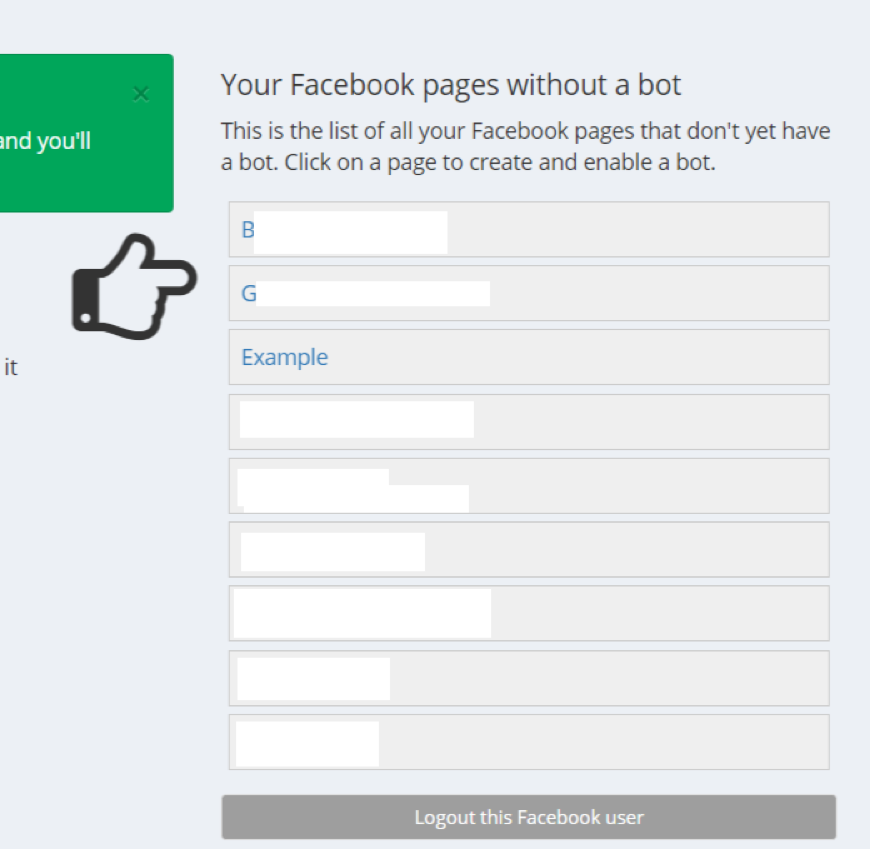
Follow the on-screen instructions to connectyour Facebook Page to Many Chat. You'll need to grant Many Chat permission to accessyour Page.
Step 2: Create a Welcome Message
In the Many Chat dashboard, navigate to Automation>Welcome Message.
This is the first message that users will see when they interact withyourchatbot.
Craft a compelling welcome message that introducesyourbusiness and explains what the chatbot can do. For example: "Hey there! Welcome to [Your Business Name]'s Messenger bot! I can help you with [list of things the bot can do, e.g., finding products, tracking orders, getting customer support]."
Step 3: Build a Simple Conversational Flow
Let's create a simple flow that allows users to ask a question and get an answer.
In the Many Chat dashboard, navigate to Automation>Keywords.
Click on "New Keyword."
Enter a keyword thatyourusers might use, such as FAQ.Create a new flow that is triggered when a user sends the keyword FAQ.In the flow, add a text message that provides a link toyour FAQ page or answers a specific question.
Step 4:Test Your Chatbot
Click on the "Preview" button to testyourchatbot.
This will open a Messenger window where you can interact withyourbot.
Send the keyword "FAQ" to see if the flow is triggered correctly.
Step 5: Publish Your Chatbot
Once you're happy withyourchatbot, click on the "Publish" button. Yourchatbot is now live and ready to interact with users onyour Facebook Page.
This is just a basic example, but it gives you a taste of how easy it is to create a Facebook Messenger chatbot with Many Chat. You can experiment with different features and functionalities to build more complex and engaging bots.
Advanced Techniques: Personalization and Integrations
Now that you've mastered the basics, let's explore some advanced techniques that can takeyour Facebook Messenger chatbot to the next level. Personalization and integrations are key to creating a truly engaging and effective chatbot experience.
Personalization
Use User Data: Collect information aboutyourusers, such as their name, email address, and preferences. Use this data to personalize the chatbot's responses and offer tailored recommendations. For example, you could greet users by name or suggest products based on their past purchases. Segment Your Audience: Divideyouraudience into different segments based on their demographics, interests, or behaviors. This allows you to send targeted messages to specific groups of users, increasing engagement and conversions. Use Dynamic Content:Use variables and conditional logic to display different content based on user input or data. For example, you could show different product recommendations depending on the user's location or the time of day.
Integrations
CRM Integration: Integrateyourchatbot withyour CRM system to automatically update customer records, track leads, and send personalized messages. E-commerce Integration: Integrateyourchatbot withyoure-commerce platform to allow users to browse products, place orders, and track shipments directly within Messenger. Email Marketing Integration:Integrateyourchatbot withyouremail marketing platform to collect email addresses, send automated email sequences, and personalize email campaigns.
By combining personalization and integrations, you can create a Facebook Messenger chatbot that is not only informative and helpful but also engaging and valuable foryourusers.
Measuring Success: Analytics and Optimization
Creating a Facebook Messenger chatbot is just the first step. To ensure thatyourbot is achieving its goals, you need to track its performance and make ongoing optimizations.
Key Metrics to Track
Engagement Rate: The percentage of users who interact withyourchatbot. Conversion Rate: The percentage of users who complete a desired action, such as making a purchase or signing up for a newsletter. Retention Rate: The percentage of users who return to useyourchatbot again. User Satisfaction: The level of satisfaction that users have withyourchatbot, often measured through surveys or feedback forms. Flow Completion Rate:The percentage of users who complete a specific conversational flow.
Tools for Analytics
Many Chat Analytics: Many Chat provides built-in analytics that allow you to track key metrics and gain insights into user behavior. Google Analytics: You can integrateyourchatbot with Google Analytics to track user behavior and conversions. Custom Dashboards:You can create custom dashboards to track specific metrics and gain a more comprehensive view ofyourchatbot's performance.
Optimization Strategies
A/B Testing: Test different versions ofyourchatbot's messages and flows to see which ones perform best. User Feedback: Collect feedback fromyourusers to identify areas for improvement. Data Analysis: Analyzeyourchatbot's data to identify trends and patterns that can informyouroptimization efforts. Iterative Improvement: Continuously iterate and improveyourchatbot based on data and feedback.
By trackingyourchatbot's performance and making ongoing optimizations, you can ensure that it is delivering value toyourusers and achievingyourbusiness goals.
Beyond the Basics: Future Trends in Chatbot Technology
The world of chatbot technology is constantly evolving. As technology advances, new trends are emerging that will shape the future of chatbots. Staying informed about these trends is crucial for building chatbots that remain relevant and effective.
Here are some key trends to watch
Enhanced NLP: Natural language processing is becoming more sophisticated, allowing chatbots to understand and respond to human language with greater accuracy and nuance. AI-Powered Personalization: Artificial intelligence is being used to personalize chatbot interactions based on user data and behavior. Voice Integration: Chatbots are increasingly being integrated with voice assistants like Alexa and Google Assistant, allowing users to interact with them using voice commands. Omnichannel Chatbots: Chatbots are being deployed across multiple channels, such as Facebook Messenger, Whats App, and websites, providing a consistent user experience across all platforms. Proactive Chatbots: Chatbots are becoming more proactive, initiating conversations with users based on their behavior or context. Low-Code/No-Code Platforms: The rise of low-code/no-code platforms is making it easier for businesses of all sizes to build and deploy chatbots.
By staying on top of these trends and incorporating them intoyourchatbot strategy, you can create bots that are more engaging, effective, and future-proof.
Mastering the Art of How to Create Facebook Messenger Chatbots
Congratulations, friends! You've journeyed through the exciting world of Facebook Messenger chatbots, from understanding their power to mastering their creation and optimization. We've explored the core concepts, compared coding versus no-code options, and even built a basic chatbot using Many Chat. From personalization and integrations to analytics and future trends, you now possess the knowledge to build a powerful chatbot that can revolutionizeyourcustomer engagement and driveyourbusiness forward.
Now is the time to put your newfound knowledge into action. Start experimenting with different features, explore various platforms, and most importantly, create something amazing! Don't be afraid to try new things, learn fromyourmistakes, and constantly iterate to improveyourchatbot.
Ready to start buildingyourown Facebook Messenger Chatbot? Head over to Many Chat and begin your journey today.
The future of conversational commerce is here, and it's waiting for you to shape it. Are you ready to build something incredible?

Post a Comment for "How to Create Facebook Messenger Chatbots"
Post a Comment