How to Create Effective YouTube Thumbnails
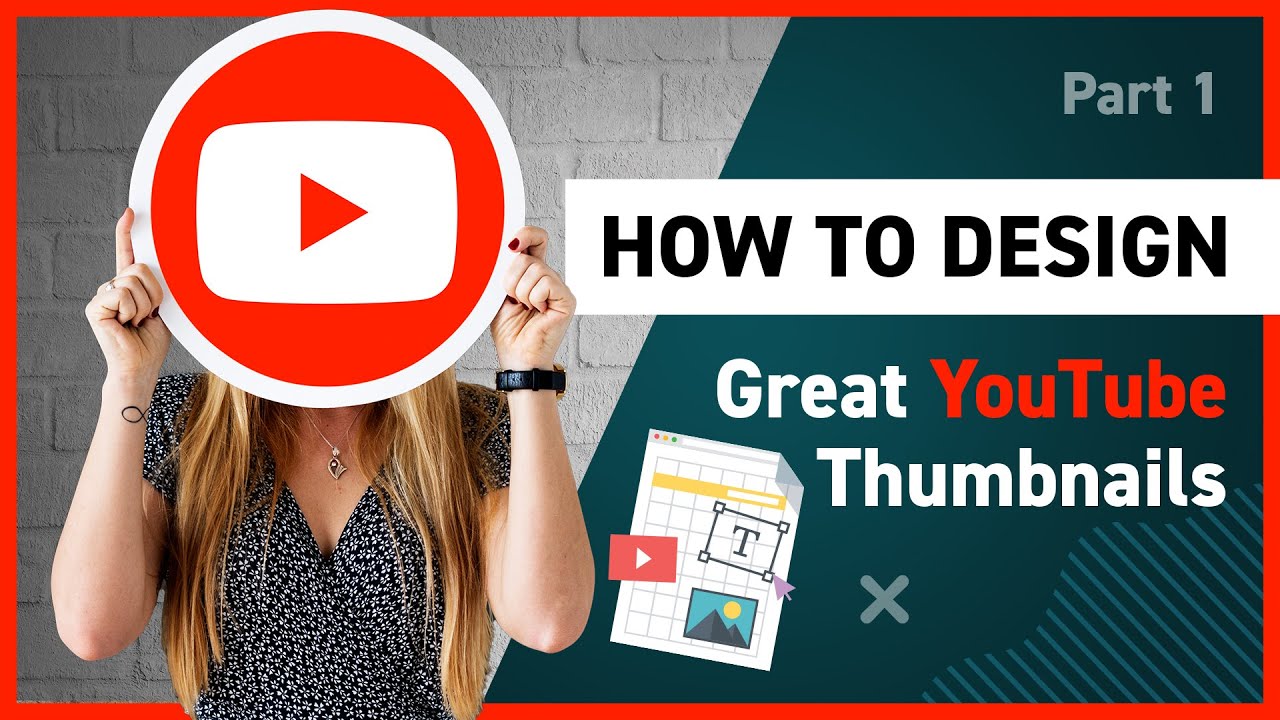
Stop! Your Click-Through Rate is Dying: Learn How to Create Effective You Tube Thumbnails That Pop
Crafting scroll-stopping thumbnails is essential for You Tube success. Learn how to create effective You Tube thumbnails that dramatically boost views and engagement, turning casual viewers into dedicated subscribers.
Hey there, future You Tube superstars! Ever feel like you’re shouting into the void on You Tube? You put your heart and soul into creating awesome content,meticulouslyediting every frame, crafting witty scripts, and then…crickets. The views are lower than your motivation on a Monday morning. What gives?
The cold, hard truth is, even the best content can get lost in the You Tube algorithm if it's not packaged properly. Think of it like this: you’re a gourmet chef, and you've spent hours creating adeliciousfive-course meal. But instead of plating it beautifully, you just dump it all in a takeout container. Nobody’s going to be impressed, right?
Your You Tube thumbnail is your plating. It's the first impression you make, and it's what convinces people to click that play button instead of scrolling on by to another cat video. A blurry, pixelated, or just plainboringthumbnail is a recipe for disaster. It screams "amateur" and tells viewers, "nothing exciting to see here."
Let’s be honest, we’ve all been there. We've all uploaded videos with thumbnails that made us cringe later. Maybe it was a poorly-timed screenshot, a weird facial expression frozen in time, or just a complete lack of design skills. But the good news is, creating eye-catching thumbnails isn't some secret, mystical art. It's a skill you candefinitelylearn.
Think aboutyourown You Tube browsing habits. What makes you click on a video? Is it a captivating image? A bold headline? A combination of both? Chances are, a well-designed thumbnail played a significant role.
The You Tube landscape isincrediblycompetitive. Millions of videos are uploaded every single day. To stand out from the crowd, you need to master the art of the thumbnail. It's not just about making your video look pretty; it's about attracting attention, conveying value, and ultimately, driving more views and subscribers.
So, are you ready to stop lettingamazingcontent go unnoticed? Are you ready to transform your click-through rate and finally get the views you deserve? Then buckle up, because we’re about to dive deep into the world of You Tube thumbnails. We’ll cover everything from basic design principles to advanced strategies that will help you create thumbnails that are impossible to ignore. Get ready to unlock the secrets to You Tube success and finally get your videos seen! Stick around,friends, because this is going to be good!
Understanding the Importance of Effective You Tube Thumbnails
First Impressions Matter: The Thumbnail's Role
In the digital realm,first impressions are everything, and on You Tube, your thumbnail is your initial handshake. Think of it as your video's billboard on the information superhighway. It’s what grabs attention in a sea of content, influencing whether someone stops scrolling and clicks. With countless videos vying for attention, a compelling thumbnail can be the difference between obscurity and viral success. You Tube viewers quickly scan through video suggestions, and a visually appealing thumbnail can instantly convey the video’s essence, promising value or entertainment. This visual preview shapes their perception and drives their decision to watch. Therefore, mastering the art of thumbnail design is crucial for boosting visibility, increasing click-through rates, and growing your You Tube audience.
The Click-Through Rate (CTR) Connection
The click-through rate (CTR) is avitalmetric on You Tube, and your thumbnail plays a pivotal role in determining it. CTR is the percentage of people who see your video (the impression) and then click on it. A high CTR signals to the You Tube algorithm that your content is engaging and relevant, which can lead to increased visibility and promotion. In other words, You Tube rewards videos that attract viewers.An optimized thumbnailacts as a compelling advertisement, piquing curiosity and enticing viewers to explore your content. By creating thumbnails that are visually striking, informative, and aligned with your video's topic, you can significantly improve your CTR.
Beyond Aesthetics: Conveying Value and Information
Whileeye-catching visualsare important, a truly effective thumbnail goes beyond mere aesthetics. It serves as a mini-preview of your video, conveying the core message and value proposition to potential viewers. Think about it: people are scrolling quickly, so your thumbnail needs to communicate what your video is about in a split second. A well-designed thumbnail should give viewers a clear understanding of what they'll gain by watching your video, whether it's learning a new skill, getting entertained, or finding solutions to a problem. This means using clear, concise text overlays and relevant imagery that accurately reflects the video's content. By providing a visual summary, you can attract the right audience and set clear expectations, ultimately leading to higher engagement and satisfaction.
Essential Elements of a Killer You Tube Thumbnail
High-Quality Visuals: Resolution and Composition
First things first, ditch those blurry screenshots!High-resolution visualsare non-negotiable when creating effective You Tube thumbnails. Imagine walking into a store and seeing a product with a smudged, pixelated label. Would you buy it? Probably not. The same principle applies to your thumbnails. Aim for a minimum resolution of 1280x720 pixels. Usecrisp, clear imagesthat are well-lit and in focus.
Composition is key. Think about the rule of thirds – dividing your image into nine equal parts with two horizontal and two vertical lines. Placing key elements at the intersections of these lines can create a more balanced and visually appealing composition. Avoid cluttering the thumbnail with too many elements.Simplicity and clarityare your friends.
Compelling Text Overlays: Readability and Font Choice
Text overlays can be incredibly effective forgrabbing attentionand conveying your video's core message. However, readability is paramount. Choose fonts that are easy to read at a glance, even on smaller screens. Avoid overly decorative or cursive fonts that can be difficult to decipher.
Contrast is crucial. Use a text color that stands out against the background image. A light-colored text on a dark background (or vice versa) will ensure that your message is easily visible. Keep the textconcise and to the point. A few strategically chosen words can be far more effective than a lengthy sentence. Consider adding a stroke or shadow to your text to make it pop even more.
Color Psychology: Using Colors to Evoke Emotion
Colors have a powerful influence on our emotions and perceptions.Understanding color psychologycan help you create thumbnails that resonate with your target audience. For example, red is often associated with excitement, energy, and urgency, while blue can convey trust, calmness, and professionalism.
Consider your video's topic and target audience when choosing your color palette. A bright, vibrant thumbnail with lots of yellows and oranges might be perfect for a children's entertainment video, while a more subdued palette with blues and greens might be more appropriate for a tutorial on meditation or mindfulness.
Experiment with different color combinations to see what works best for your brand and content. Tools like Adobe Color can help you create harmonious color palettes that are visually appealing and effective.
Human Faces: Expressiveness and Connection
Including a human face in your thumbnail cansignificantly increaseits click-through rate. People are naturally drawn to faces, especially those that convey emotion. Think about the last time you scrolled through You Tube. Did you notice videos with people makingsurprised, excited, or intriguedexpressions?
Use close-up shots that capture the subject's emotion clearly. Make sure the lighting is good and that the person's face is in focus. If your video involves a reaction, capture that moment! People love seeing genuine reactions. If you're the face of your channel,use consistent branding. Use the same style and expression each time to create a recognizable look.
Tools and Software for Thumbnail Creation
Canva: User-Friendly and Versatile
Canva is afantastic optionfor both beginners and experienced designers. It’s a user-friendly online design tool with a vast library of templates, graphics, and fonts, making it easy to create professional-looking thumbnails even if you have limited design experience. Canva offers both free and paid versions, with the paid version unlocking access to even more resources and features.
With Canva, you can easily upload your own images, add text overlays, adjust colors, and create custom layouts. It's a great tool forquickly prototypingand iterating on different thumbnail designs.
Adobe Photoshop: Advanced Design Capabilities
Adobe Photoshop is theindustry standardfor professional image editing and graphic design. While it has a steeper learning curve than Canva, it offers unparalleled control and flexibility. With Photoshop, you can manipulate images in virtually any way imaginable, creating highly customized and visually stunning thumbnails.
Photoshop is ideal forcomplex design projectsthat require advanced editing techniques, such as removing backgrounds, retouching photos, and creating intricate graphics. If you're serious about creating high-quality thumbnails, Photoshop is worth learning.
GIMP: A Free and Open-Source Alternative
GIMP (GNU Image Manipulation Program) is afree and open-sourcealternative to Photoshop. While it may not have all the bells and whistles of Photoshop, it offers a surprisingly robust set of features for image editing and design.
GIMP is a great option for those who are on a budget but still want a powerful image editing tool. It'sperfect for creatingthumbnails, editing photos, and designing graphics. The learning curve is similar to that of Photoshop, but there are plenty of free tutorials and resources available online to help you get started.
Pic Monkey: Easy-to-Use Photo Editor
Pic Monkey is anonline photo editorthat offers a balance between ease of use and advanced features. It's a great option for those who want more control over their thumbnail design than Canva offers but don't want to deal with the complexity of Photoshop or GIMP.
Pic Monkey offers a variety of editing tools, filters, and effects, as well as a library of templates, graphics, and fonts. It's apaid service, but it offers a free trial so you can test it out before committing to a subscription.
Best Practices for You Tube Thumbnail Design
Consistency: Branding and Style
Consistency iskey to buildinga recognizable brand on You Tube. Your thumbnails should reflect your channel's overall style and aesthetic. Use the same fonts, colors, and visual elements across all of your thumbnails to create a cohesive look.
This helps viewersquickly identifyyour videos in the search results and builds brand recognition. Think of your thumbnails as visual branding elements. When people see your thumbnail style, they should instantly recognize it as your channel.
A/B Testing: Find What Works Best
Don't just guess what thumbnail design will work best. Use A/B testing toscientifically determinewhich thumbnails are most effective at attracting clicks. A/B testing involves creating two or more versions of a thumbnail and then showing them to different segments of your audience.
You Tube's analytics provide data on click-through rates for each thumbnail, allowing you to see which version performs best. Experiment with different layouts, colors, text overlays, and facial expressions to see what resonates with your audience.Continuously testing and optimizingyour thumbnails can lead to significant improvements in your click-through rate.
Optimize for Mobile: Small Screen Considerations
With a significant portion of You Tube views coming from mobile devices, it'sessential to optimizeyour thumbnails for small screens. Make sure your text is large enough to read easily on a mobile device, and avoid cluttering the thumbnail with too many elements.
Use high-resolution images that will still look crisp and clear when scaled down.Test your thumbnailson different devices to see how they look on both desktop and mobile. Remember, a thumbnail that looks great on a large monitor may not be as effective on a small phone screen.
Analyze Competitors: Learn from the Best
Pay attention to whatyour competitors are doing. Analyze the thumbnails of successful videos in your niche. What elements do they have in common? What makes them stand out?
Don't copy their thumbnails directly, butuse them as inspirationfor your own designs. Look for trends in your niche and experiment with different approaches to see what works best for your audience. Competitor analysis is a valuable tool for staying ahead of the curve and improving your own thumbnail design skills.
Stay Updated: Trends and Algorithm Changes
The You Tube landscape isconstantly evolving. What works today may not work tomorrow. Stay updated on the latest trends in thumbnail design and be aware of any changes to the You Tube algorithm.
Follow design blogs, watch You Tube tutorials, andexperiment with new techniques. The more you learn about thumbnail design, the better equipped you'll be to create effective thumbnails that attract attention and drive views. Remember,continuous learningis essential for success on You Tube.
Common Mistakes to Avoid in You Tube Thumbnail Design
Cluttered Design: Overloading Information
One of the most common mistakes isoverloading the thumbnailwith too much information. Trying to cram too many elements – text, images, graphics – into a small space creates a cluttered and confusing visual that overwhelms viewers.
Instead, aim forsimplicity and clarity. Focus on a single, clear message and use only the most essential elements to convey that message. Remember, viewers are scrolling quickly, so your thumbnail needs to communicate effectively at a glance.
Low-Quality Images: Pixelation and Blur
Usinglow-resolution or blurry imagesis a surefire way to turn viewers off. A pixelated thumbnail screams "amateur" and suggests that your video may not be worth watching.
Always usehigh-quality imagesthat are crisp, clear, and in focus. Make sure your images are properly sized for You Tube's recommended thumbnail dimensions (1280x720 pixels).
Misleading Content: Clickbait Tactics
While it may be tempting to useclickbait tacticsto attract views, misleading your audience is never a good idea. Creating a thumbnail that doesn't accurately reflect the content of your video will lead to disappointment and frustration.
Viewers who feel tricked are less likely to subscribe to your channel or watch your future videos.Honesty and transparencyare crucial for building trust with your audience.
Ignoring Mobile Optimization: Forgetting Small Screens
As mentioned earlier,ignoring mobile optimizationis a major mistake. A thumbnail that looks great on a desktop monitor may be illegible on a smartphone screen.
Alwaystest your thumbnailson different devices to see how they look on both desktop and mobile. Make sure your text is large enough to read easily on a small screen, and avoid cluttering the thumbnail with too many elements.
Lack of Consistency: Confusing Your Audience
Inconsistency in thumbnail designcan confuse your audience and make it difficult for them to recognize your videos. Using different fonts, colors, and visual elements across your thumbnails creates a disjointed look that can undermine your branding efforts.
Establish a consistent stylefor your thumbnails and stick to it. This will help viewers quickly identify your videos and build brand recognition.
Conclusion: Level Up Your You Tube Game
So,friends, we've covered a lot of ground, haven't we? From understanding thecrucialrole of You Tube thumbnails in boosting your click-through rate to mastering the essential elements of a killer design, you're now equipped with the knowledge to create thumbnails that not only look amazing but also driverealresults.
Remember, your thumbnail is your video's first impression. It's your chance to grab attention, convey value, and entice viewers to click that play button. Don't underestimate its power!Effective thumbnailscan be the difference between a video that gets lost in the shuffle and one that goes viral.
We've talked about usinghigh-quality visuals, craftingcompelling text overlays, understandingcolor psychology, and leveraging the power ofhuman faces. We've also explored various tools and software, from user-friendly options like Canva to advanced design powerhouses like Adobe Photoshop.
And,importantly, we've discussed common mistakes to avoid, like cluttered designs, low-quality images, misleading content, and ignoring mobile optimization.Avoiding these pitfallswill ensure that your thumbnails are professional, effective, and aligned with your brand.
Now it's time to put this knowledge into action! Don't be afraid to experiment, try new things, and see what resonates with your audience. Use A/B testing to scientifically determine which thumbnails are most effective, and continuously optimize your designs based on data and feedback.
Ready totransform your You Tube channeland unlock its full potential?Start creating amazing thumbnails today!
Your next step? Take one of your older videos with a lackluster thumbnail and give it a makeover using the tips and techniques we've discussed. Then,watch the views roll in! It is time to stop lettingamazingcontent go unnoticed.
What new and creative thumbnail strategy are you most excited to implement first? Go get 'em,friend!

Post a Comment for "How to Create Effective YouTube Thumbnails"
Post a Comment